20
Chapter 4
Set Up Internet Connection
4. 3. Test Internet Connectivity
After manually set up the internet connection, you need to know the internet connectivity.
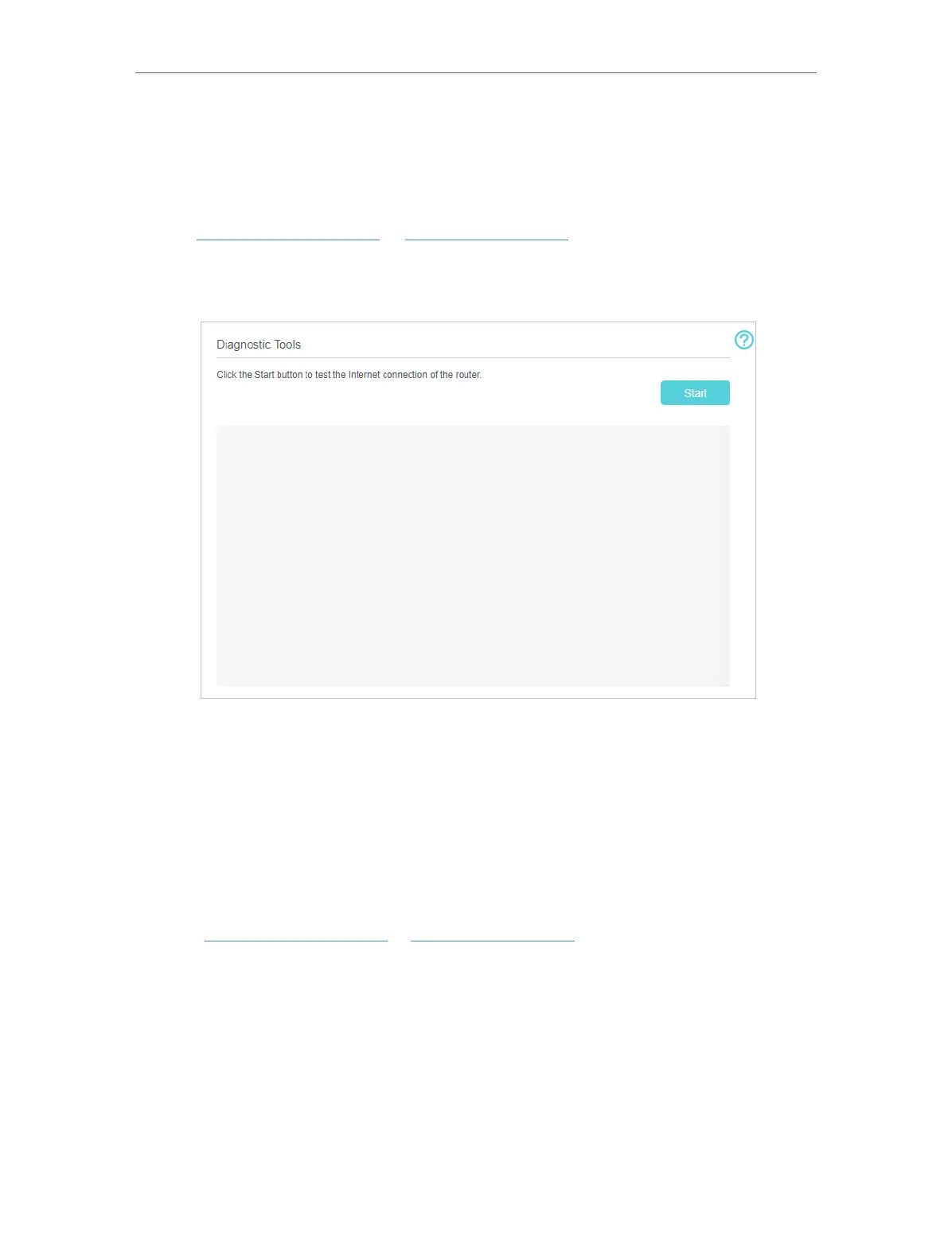
The router provides a diagnostic tool to help you locate the malfunction.
1. Visit http://tplinkmodem.net or http://192.168.254.1, and log in with your TP-Link ID
or the password you set for the router.
2. Go to Advanced > System Tools > Diagnostics page.
3. Click Start to test the internet connectivity and you will see the test result in the gray
box.
4. 4. Create a Connection Profile
If your ISP settings are not detected by the router, you can create an internet connection
profile by following the steps below:
1. Visit http://tplinkmodem.net or http://192.168.254.1, and log in with your TP-Link ID
or the password you set for the router.
2. Go to Advanced > Network > Mobile WAN page.


 To Next Page