39
Chapter 6
SMS
sent. It is not recommended to change it for a wrong message center number will affect
the SMS function of the router.
1. Visit http://tplinkmodem.net or http://192.168.254.1, and log in with the password
you set for the router.
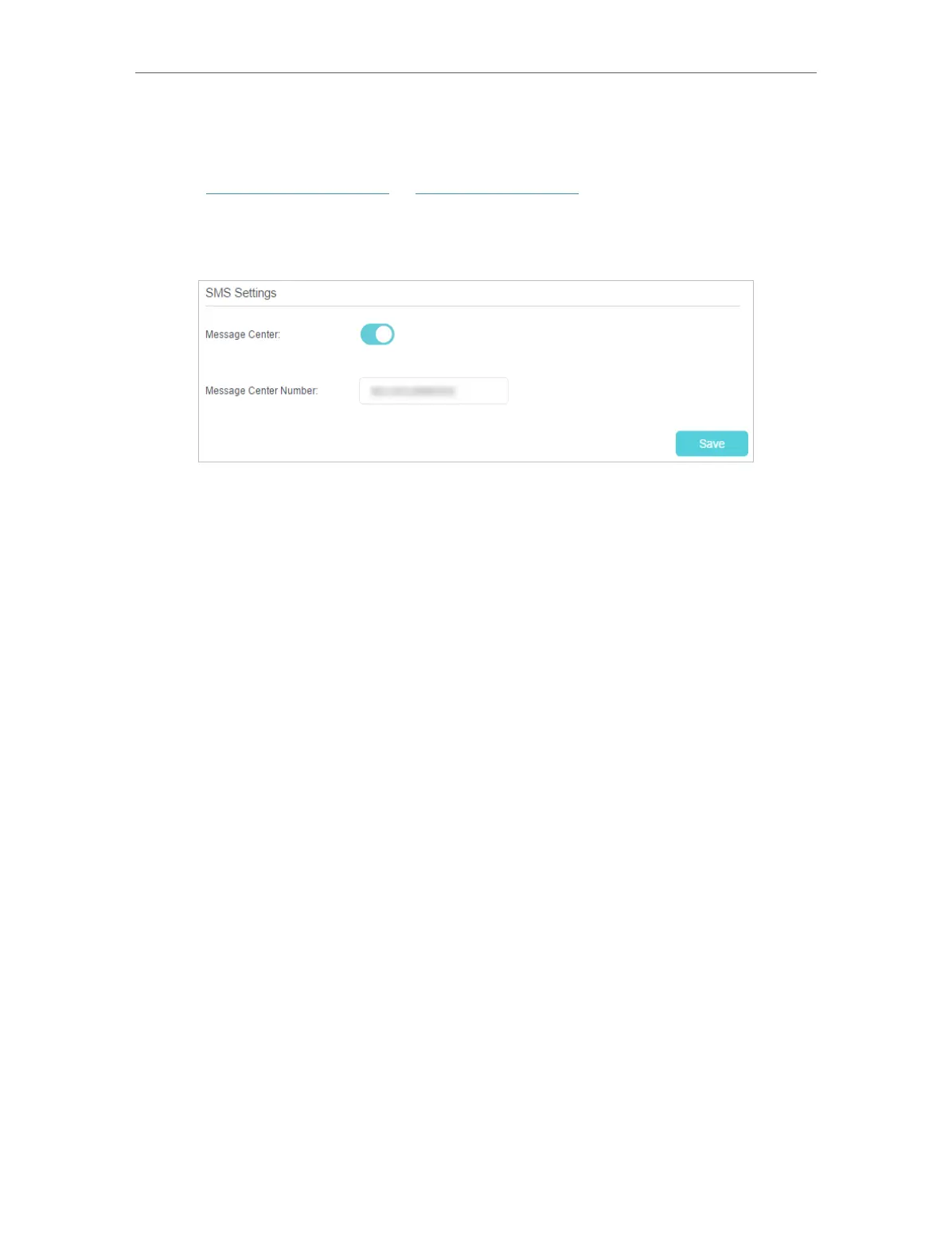
2. Go to Advanced > SMS > SMS Settings page and enable Message Center.
3. The Message Center Number is auto-populated. Change it according to your needs.
4. Click Save to apply your settings.











 To Next Page