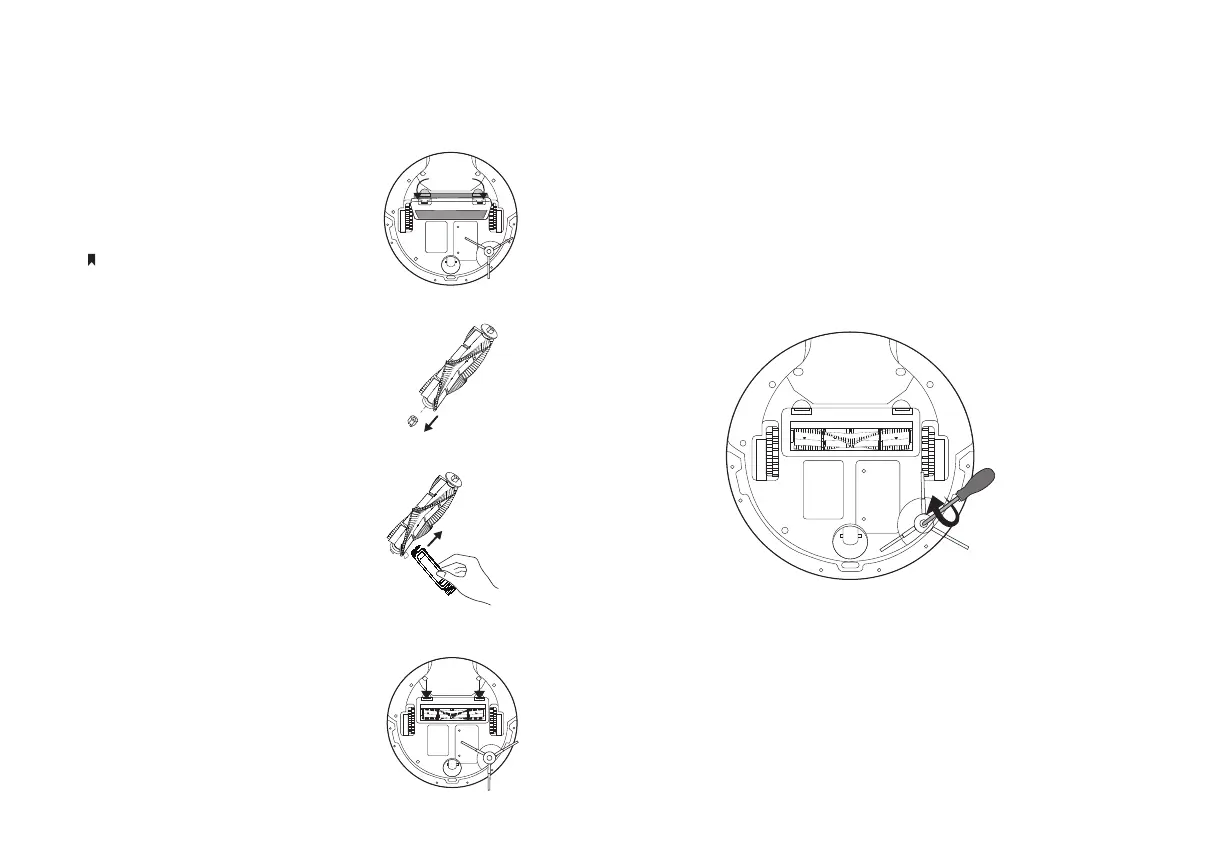
Clean the Main Brush Clean the Side Brush
1. Turn the robot vacuum
over, then unlatch and
remove the main brush
cover.
1. Use a screwdriver to unscrew the side brush clockwise,
remove debris, and wipe with a damp cloth if necessary.
2. Remove the brush and
its end cap.
3. Remove any hair or
debris with the
cleaning brush.
4. Reinstall the cap and
main brush. Press on
the main brush cover to
lock it in place.
2. Turn the side brush anticlockwise to secure it tightly and
ensure it's properly installed.
12
If you have installed the mopping attachment,
uninstall it from the robot vacuum rst.


 To Next Page