TC-W7960
300Mbps Wireless N DOCSIS 3.0 Cable Modem Router User Guide
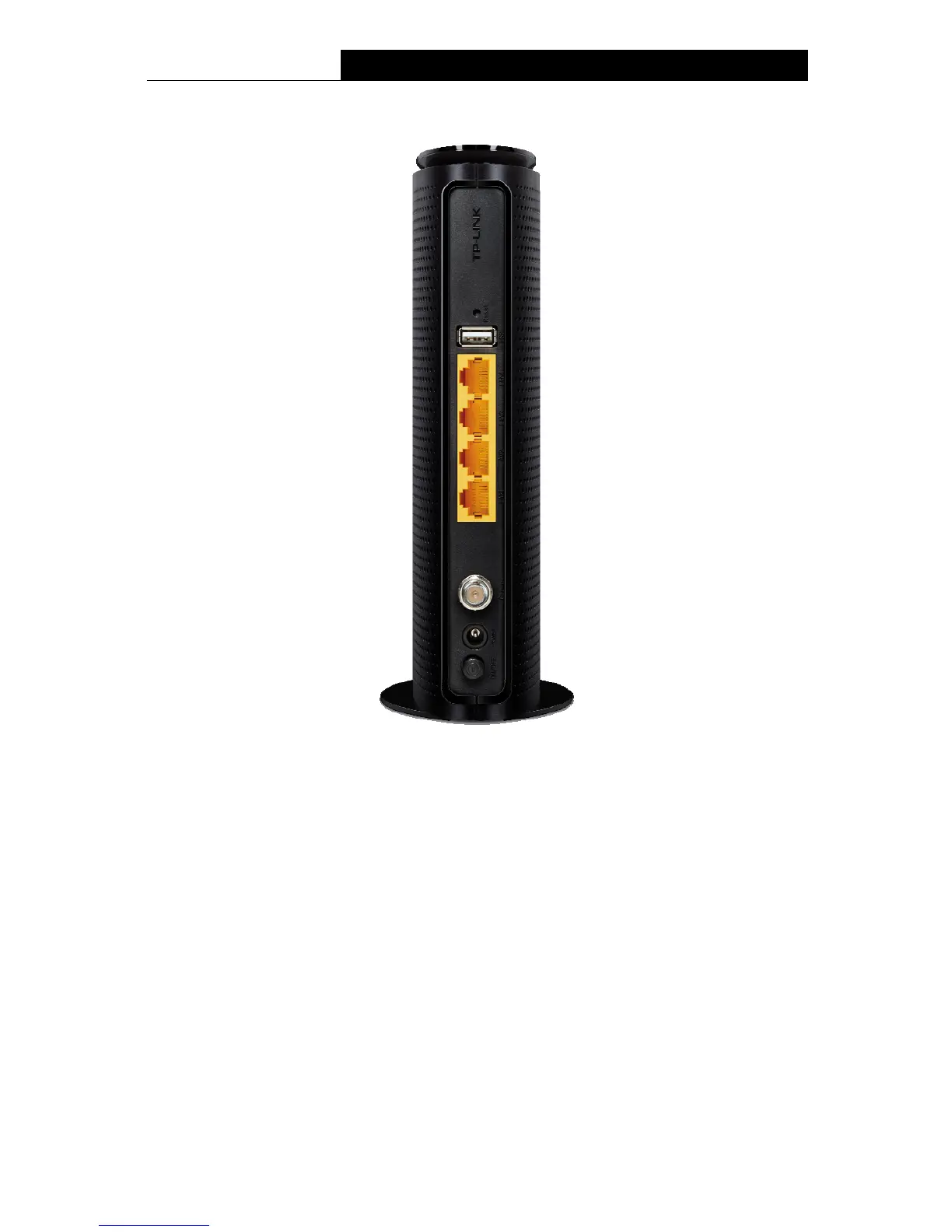
1.3.2 The Back Panel
Figure 1-2
Reset: There are two ways to reset the modem router's factory defaults.
Method one: With the modem router powered on, press and hold the Reset button for
approximately 8 seconds until all LEDs turn back on, then release the button.
Method two: Log in to the web management page of the modem router. Go to Advanced >
System tools > Backup & Restore and click Reset. The modem router will restore and
reboot automatically.
USB: The USB port connects to a USB storage device or a USB printer.
LAN4, LAN3, LAN2, LAN1: Through these ports, you can connect the modem router to your
PC or other Ethernet network devices.
Cable: Through this port, you can connect the modem router to coaxial cable.
Power: The power plug where you will connect the power adapter.
ON/OFF: The switch for the power.
5


 To Next Page
 Loading...