TC-W7960
300Mbps Wireless N DOCSIS 3.0 Cable Modem Router User Guide
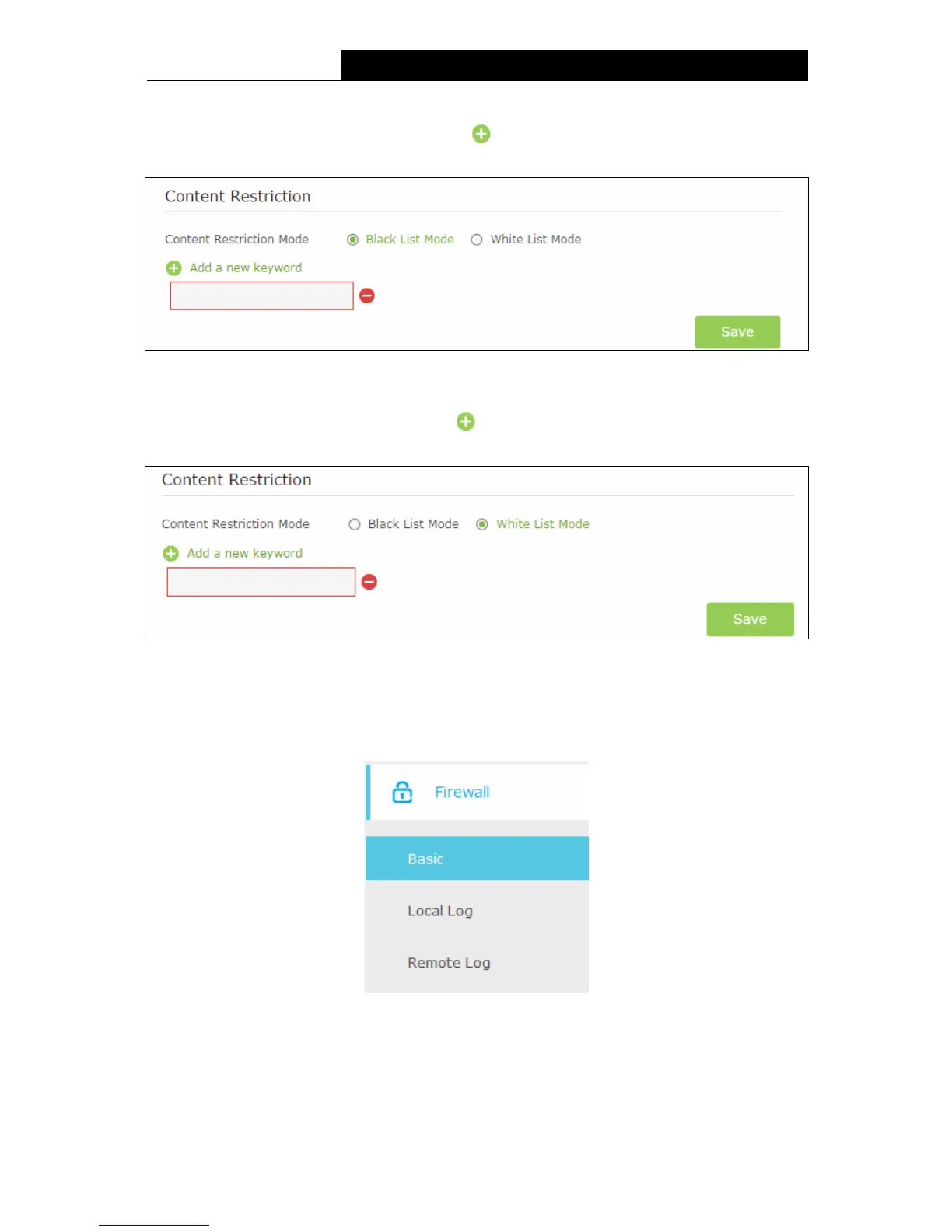
Black List Mode - All webs entered within the Black List will be denied to access. Check the
box to enable this mode. You’d like to click
Add a new keyword button and input the net
addresses which the child is denied to access.
Figure 5-48
White List Mode - Only the web entered within the White List will be allowed. Check the box
to enable this mode. You’d like to click Add a new keyword button and input the net
addresses which the child is allowed to access.
Figure 5-49
Click Save to complete the settings.
5.8 Firewall
Figure 5-50
There are three submenus under the Security menu: Basic, Local Log, and Remote Log. Click
any of them, and you will be able to configure the corresponding functions.
66












 To Next Page