TC-W7960
300Mbps Wireless N DOCSIS 3.0 Cable Modem Router User Guide
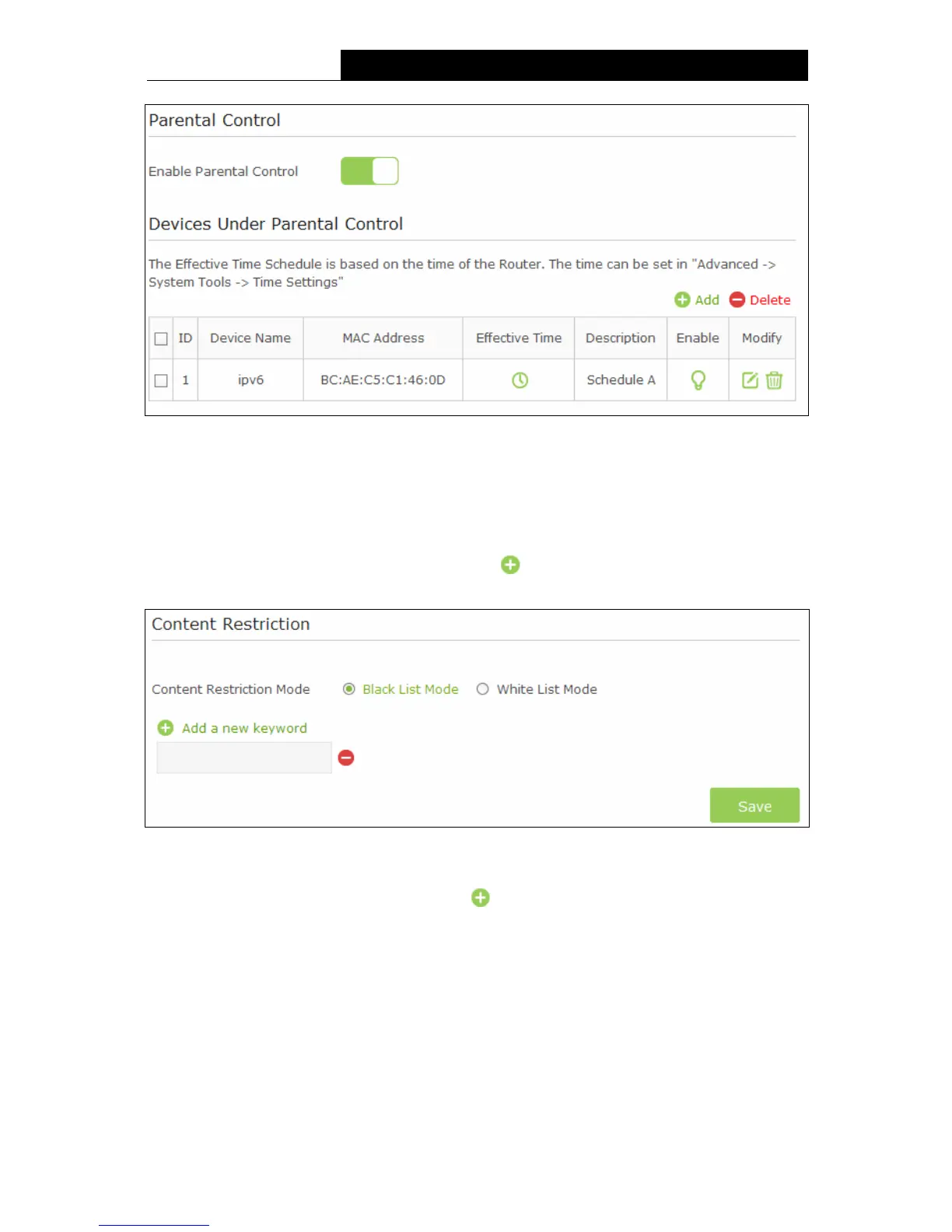
Figure 4-19
Content Restriction:
Content Restriction Mode – Select the Black List Mode or White List Mode for this
account.
Black List Mode - All webs entered within the Black List will be denied to access. Check the
box to enable this mode. You’d like to click Add a new keyword button and input
websites that the child is denied to access.
Figure 4-20
White List Mode - Only the websites entered within the White List will be allowed. Check the
box to enable this mode. You can click
Add a new keyword button and input the
websites that the child is allowed to access.
22


 To Next Page
 Loading...