TC-W7960
300Mbps Wireless N DOCSIS 3.0 Cable Modem Router User Guide
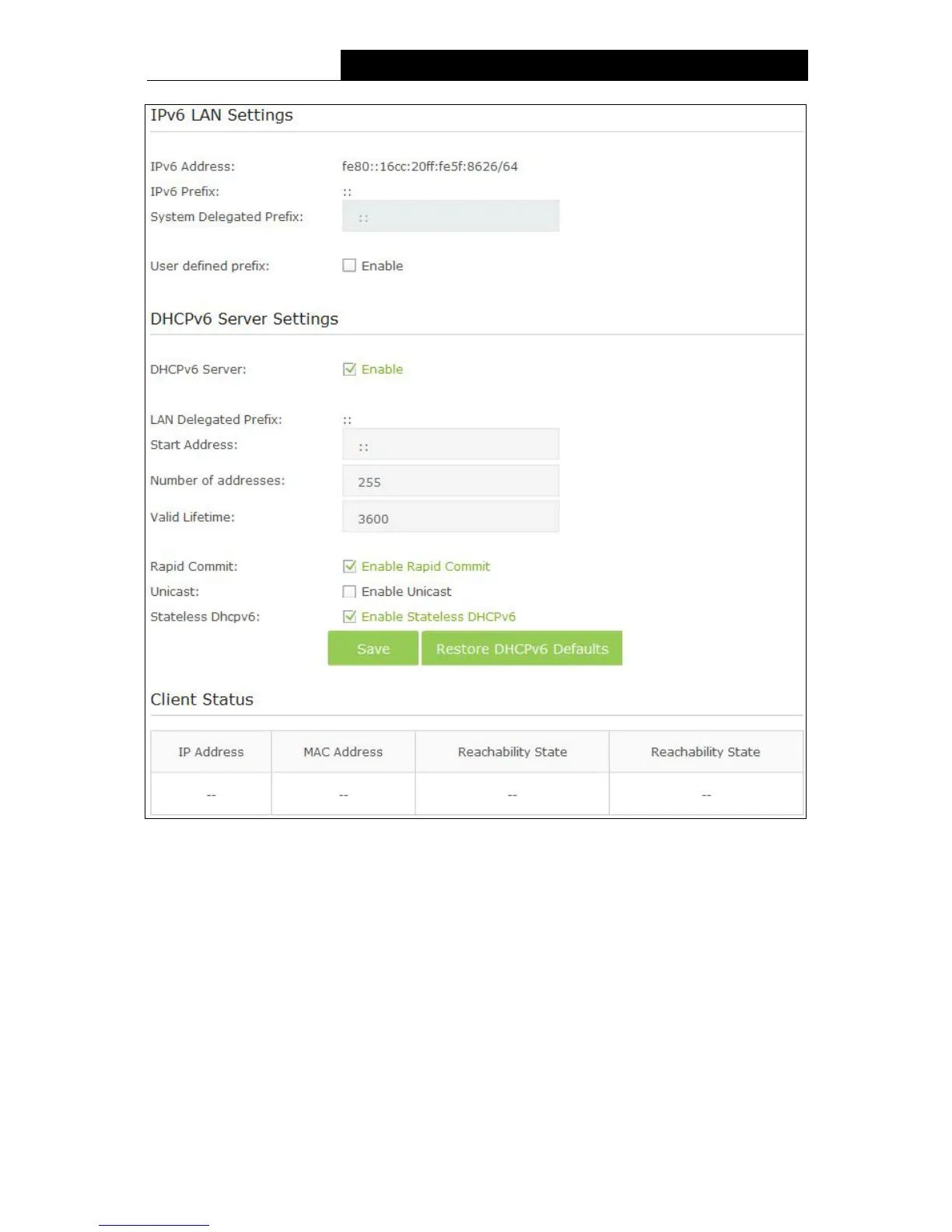
Figure 5-10
IPv6 LAN Settings:
IPv6 Address - Display the modem router’s local IPv6 Address.
IPv6 Prefix – Display the IPv6 prefix address.
System Delegated Prefix – You can also enter the prefix address used for the tunnel after
select the User Defined prefix checkbox.
User defined prefix – Select the checkbox to define a new IPv6 prefix address.
DHCPv6 Server Settings:
DHCPv6 Server – Check the box to enable DHCPv6 server.
LAN Delegated Prefix – Display the LAN prefix address.
33












 To Next Page