TC-W7960
300Mbps Wireless N DOCSIS 3.0 Cable Modem Router User Guide
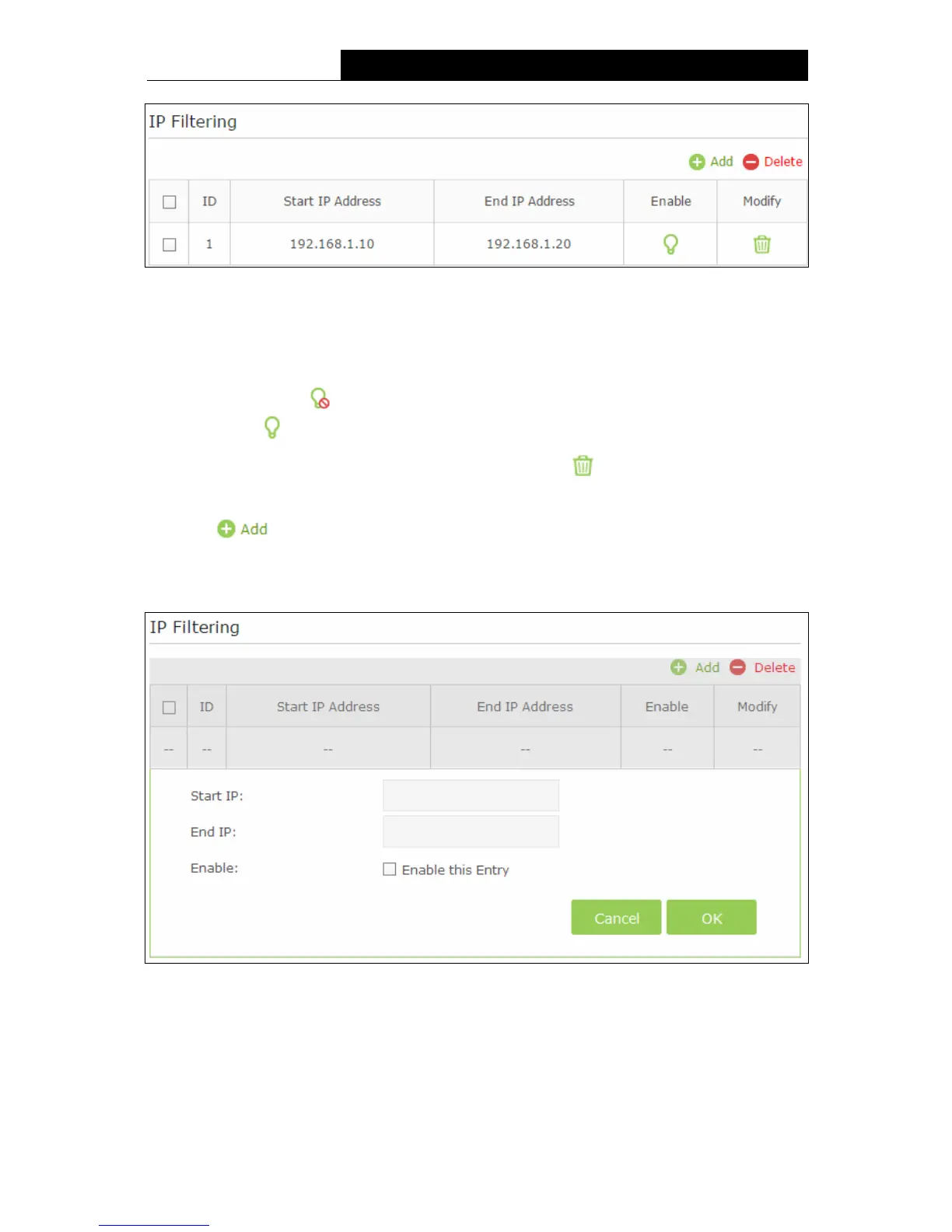
Figure 5-26
IP Filtering:
Start/End IP Address –Display the start IP Address/end IP Address of the client that cannot
access this router.
Enable - Click the icon to enable the function. If this function has taken effect, the icon
will become .
Modify - If you want to delete this entry, you can click the icon.
To add a IP Address Filtering entry:
1. Click
button, then you will see a setting page, as shown in the following figure.
2. Enter the Start IP Address and the End IP Address.
3. Check Enable this Entry for this entry.
Figure 5-27
4. Click the OK button to save this entry. If you do not want to save this entry, click the Cancel
button.
49


 To Next Page
 Loading...