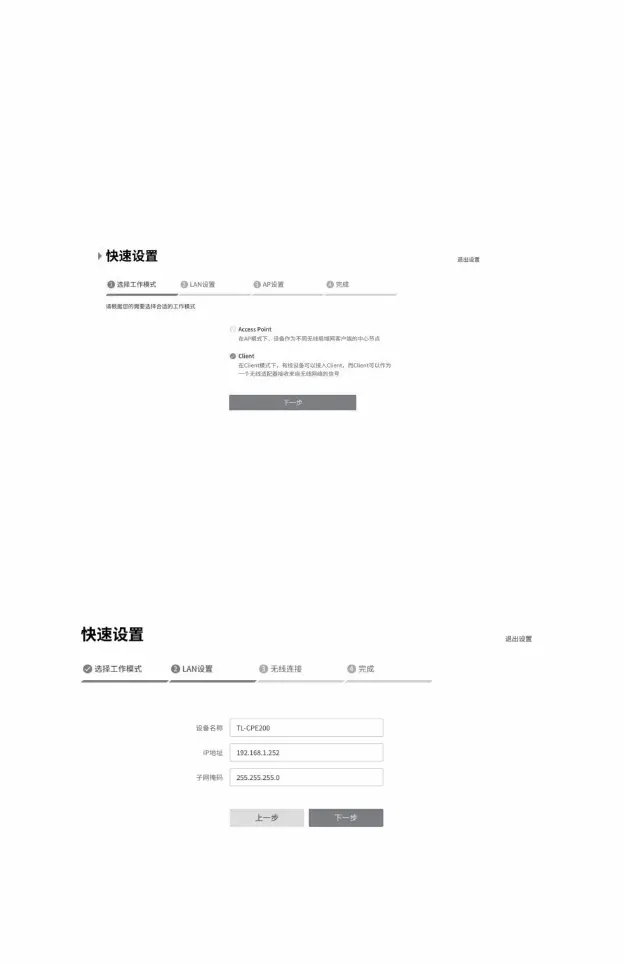
Client configuration method
1) Log in to the web management interface
• Select “Client” •
Click <Next> button
3) Working mode
2) Enter the quick settings page
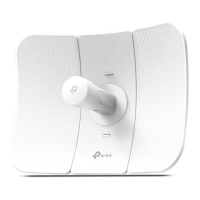
4) LAN settings:
• IP address: 192.168.1.252 (in the same network segment as Access Point)
• Click the <Next> button
13
Machine Translated by Google




 To Next Page