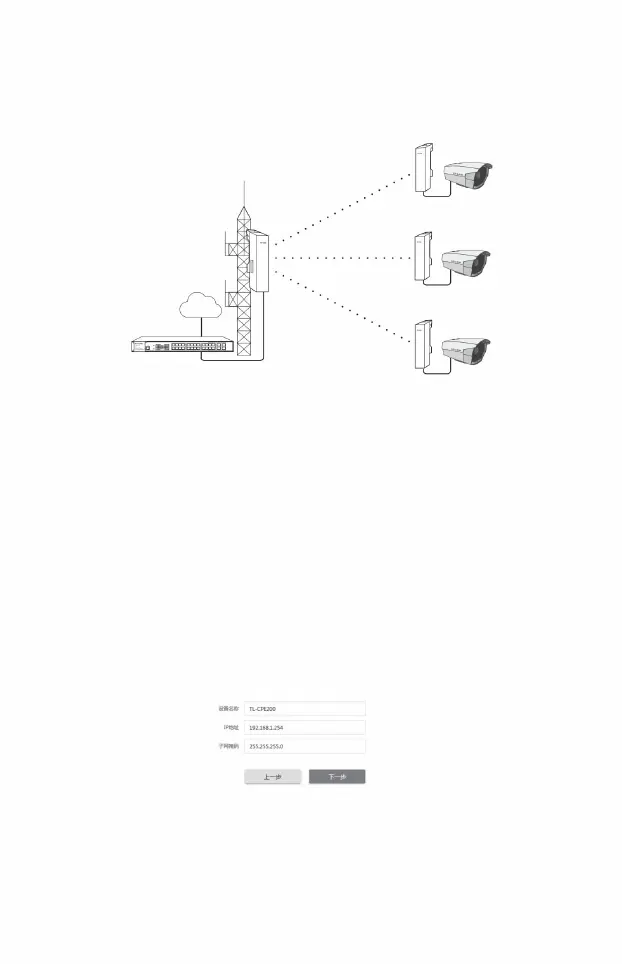
5) AP settings:
3) Working mode
2) Enter the quick settings page
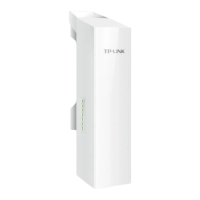
The network connection established by the access point in the area.
Access Point configuration method
4) LAN settings:
1) Log in to the web management interface
The point-to-multipoint model is mainly used when wireless devices in several different areas need to communicate with a central
0
c
1
4
b
5 7
twenty three
1
i
1
9
6 8
1 3
19 21
17
00M
Power
20 22
2
t
3
1
10
L
System
1
twenty four
twenty four
15
16 18
1
PS
n/A
• Point-to-multipoint
• SSID: Enter 1~32 characters to name your wireless network • Encryption
algorithm: Select "WPA-PSK/WPA2-PSK"
• IP address: 192.168.1.254 (in the same network segment as the router) •
Click the <Next> button
• Select “Access Point” • Click
<Next> button
Client
LAN: 192.168.1.3
LAN: 192.168.1.2
Client
Client
LAN: 192.168.1.4
network
LAN: 192.168.1.1
AccessPoint
LAN: 192.168.1.254
switch
15
Machine Translated by Google




 To Next Page