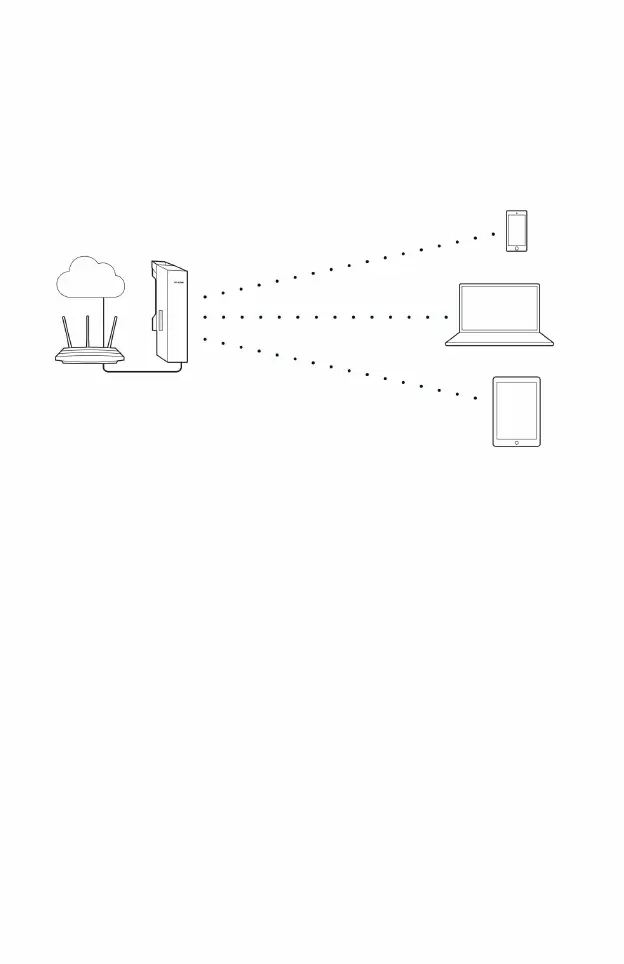
RouterAccess Point
laptop
smart phone
tablet
network
,
It is recommended to configure CPE as Access
If the front-end device of the wireless CPE is in
router Point mode.
17
• Hotspot
The hotspot model is mainly used to provide network access to wireless clients such as smartphones,
tablets, and laptops.
4) LAN settings: Click the <Next> button
Access Point configuration method
5) AP settings:
• SSID: Enter 1~32 characters to name your wireless network •
Encryption algorithm: Select "WPA-PSK/WPA2-PSK" •
PSK Key: Set a password for your wireless network, the requirement is 8~6 4 tens six points
1) Log in to the Web
management interface 2) Enter the
quick setting page 3)
Working mode • Select
“Access Point” • Click the <Next> button
system characters or 8~63 ASCII characters
• Click the <Next> button
Machine Translated by Google




 To Next Page