Note: ÿ
Please use the original power cord/power adapter. ÿ Please
connect the product to an outlet with a ground connection via the power cord plug. ÿ The plug on the power
cord/power adapter is used as a disconnecting device and the socket should be easily accessible. ÿ Keep away
from water, fire, humid or hot environments. ÿ Please do not
attempt to disassemble, repair or modify the device.
Note:
The product label is located on the bottom of the switch. Scan the QR code on
the right to view the meaning of product-related safety symbols.
8. For lightning protection
terminals , please use copper core wires with yellow and green sheaths for grounding to prevent lightning strikes. For details, please refer to the "Lightning
Protection Installation Manual".
5 USB ports TL-
SE2420/TL-SE2226 provide 1 standard USB2.0 port, which can support upload and download rates of 480Mbps. Through this port,
users can interact with the Flash file system on the switch, such as uploading or downloading application files, configuration files,
etc.
Cloud Management Switch Installation Manual
6. Please use the
matching 12VDC power adapter for the power interface .
Product Introduction 07
7 Anti-theft lock hole
To prevent the switch from being stolen, the Kensington anti-theft lock can be fixed into the security lock hole.
9 Power socket This is
an AC power socket. Connect the female plug of the power cord to this socket and the male plug to the AC power supply. The
switch is connected to an AC power supply of 220V~50Hz.
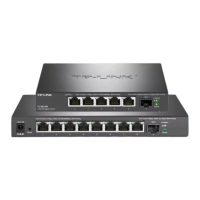
TL-SE2106 contains 5 2.5G RJ45 ports, TL-SE2109 contains 8 2.5G RJ45 ports, TL-SE2420 contains 16 2.5G RJ45 ports, TL-
SE2226 contains 24 2.5G RJ45 ports, supporting up to 2.5Gbps connection rate .
4 2.5Gbps RJ45 ports
Machine Translated by Google


 To Next Page