Configuring Layer 2 Multicast Configuration Examples
User Guide 282
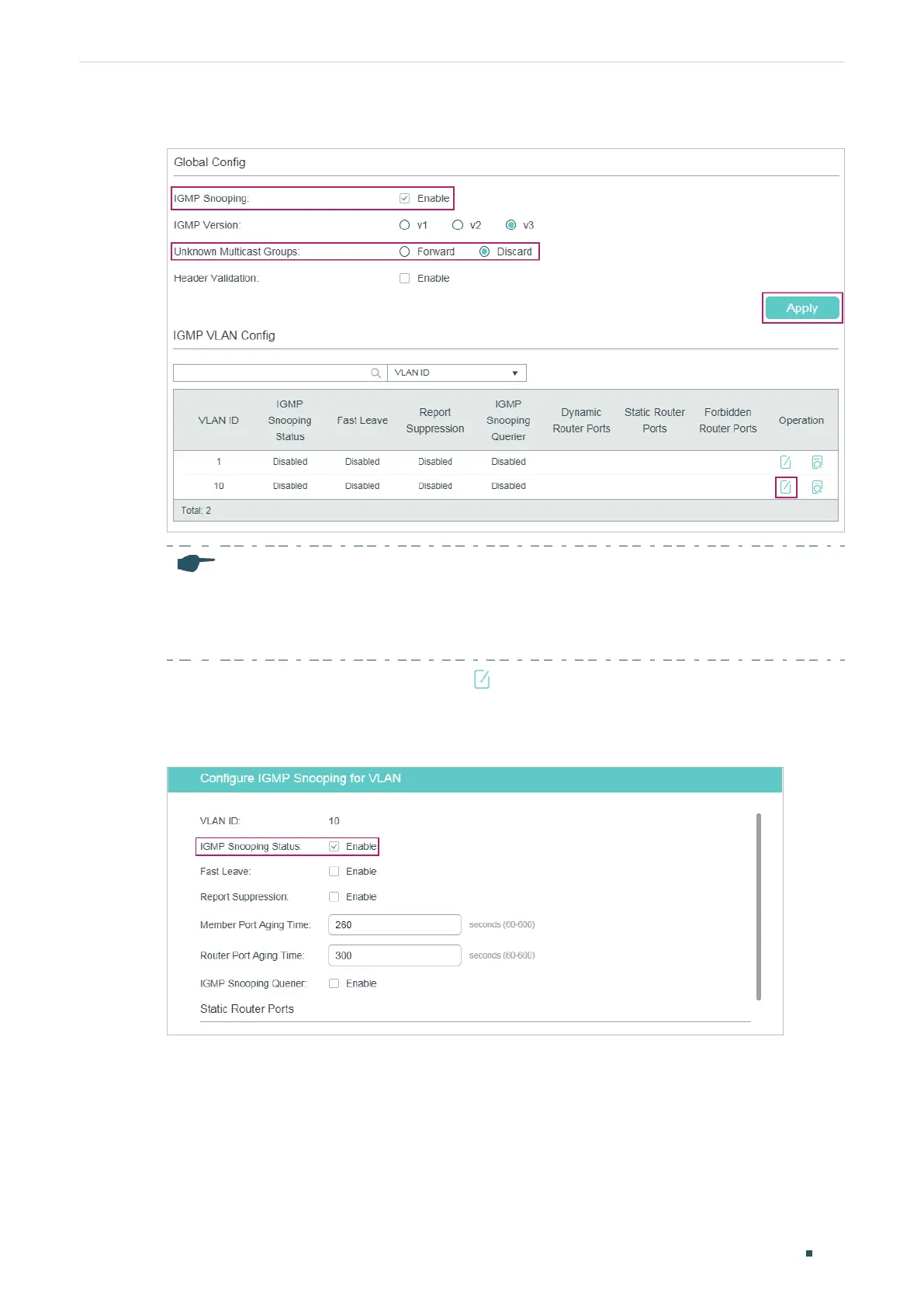
Figure 7-15 Configure IGMP Snooping Globally
Note:
IGMP Snooping and MLD Snooping share the setting of Unknown Multicast, so you have to
enable MLD Snooping globally on the L2 FEATURES
>
Multicast > MLD Snooping > Global
Config page at the same time.
3) In the IGMP VLAN Config section, click in VLAN 10 to load the following page. Enable
IGMP Snooping for VLAN 10.
Figure 7-16 Enable IGMP Snooping for VLAN 10
4) Choose the menu L2 FEATURES > Multicast > IGMP Snooping > Port Config to load
the following page. Enable IGMP Snooping on port 1/0/2 and port 1/0/4 and enable Fast
Leave on port 1/0/2.











 To Next Page