Configuring Layer 3 Interfaces Layer 3 Interface Configurations
User Guide 403
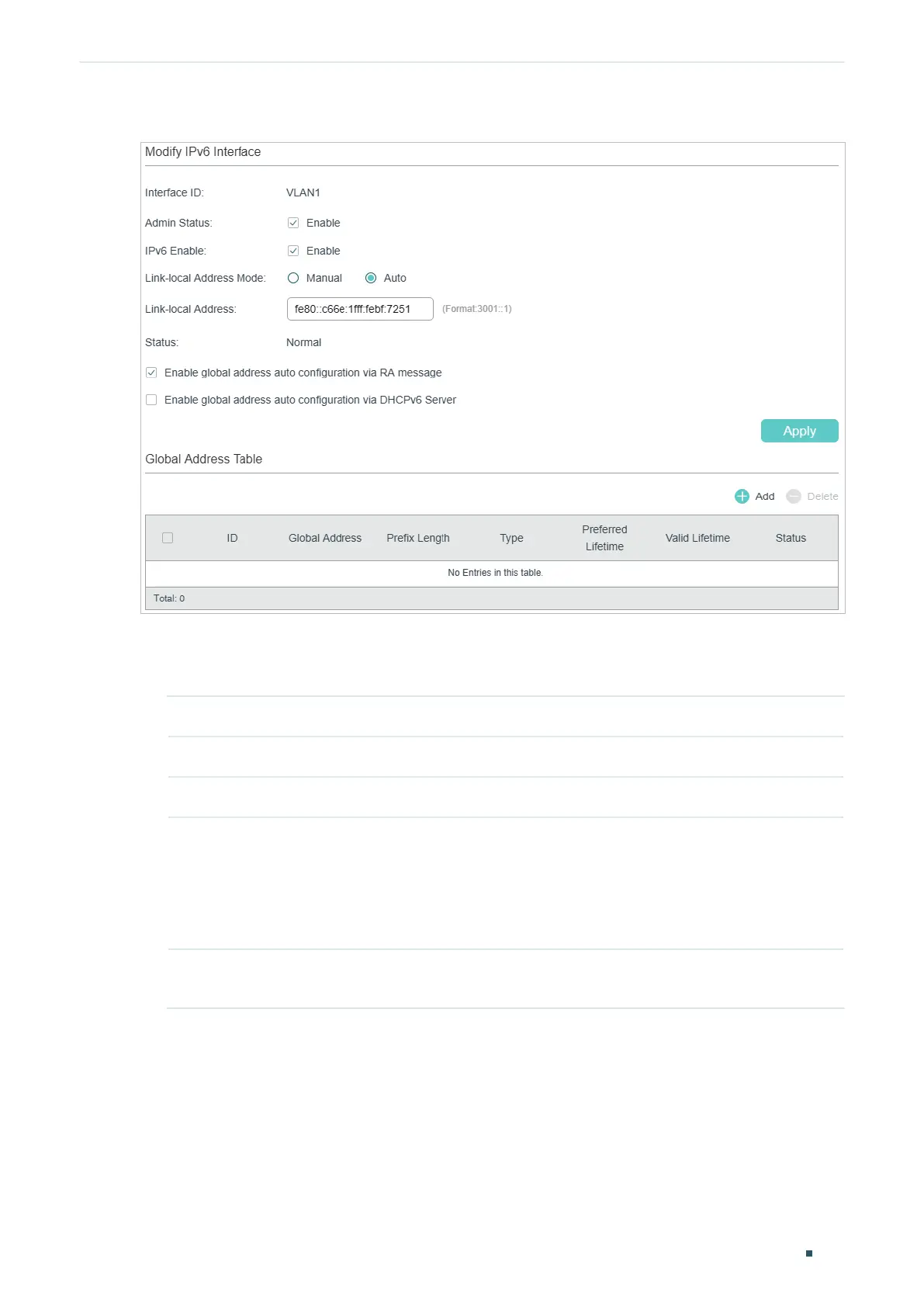
Figure 2-3 Configuring the IPv6 Parameters
1) In the Modify IPv6 Interface section, enable IPv6 feature for the interface and
configure the corresponding parameters . Then click Apply.
Interface ID Displays the interface ID.
Admin Status Enable the Layer 3 capabilities for the interface.
IPv6 Enable Enable the IPv6 feature of the interface.
Link-local
Address Mode
Select the link-local address configuration mode.
Manual: With this option selected, you can assign a link-local address manually.
Auto: With this option selected, the switch generates a link-local address
automatically.
Link-local
Address
Enter a link-local address if you choose “Manual” as the Link-Local Address
Mode.











 To Next Page