User Guide 684
Configuring ACL ACL Configuration
Time Range Select a time range during which the rule will take effect. The default value is No
Limit, which means the rule is always in effect. The Time Range referenced here
can be created on the SYSTEM > Time Range page.
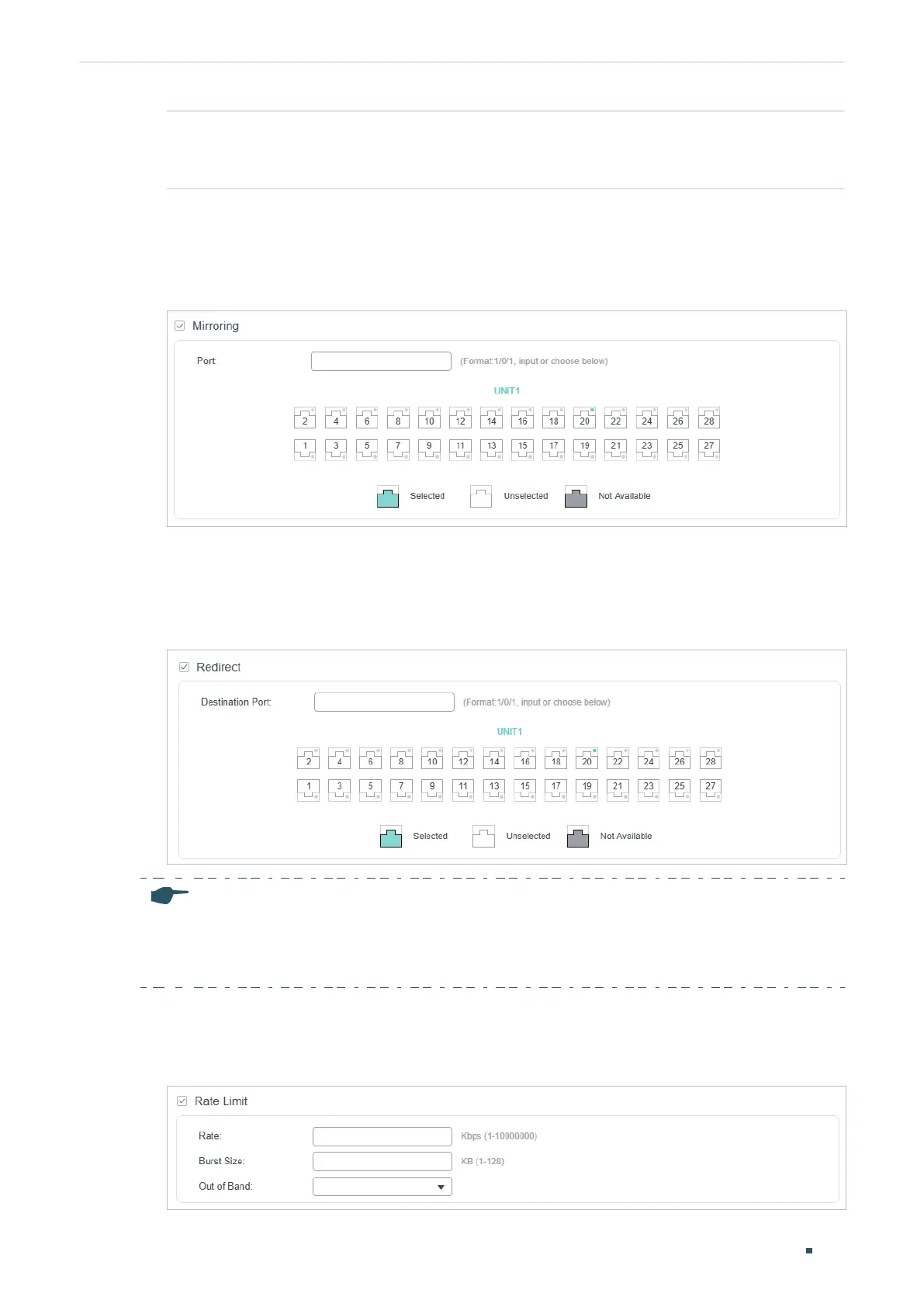
2) In the Policy section, enable or disable the Mirroring feature for the matched packets.
With this option enabled, choose a destination port to which the packets will be
mirrored.
Figure 2-23 Configuring Mirroring
3) In the Policy section, enable or disable the Redirect feature for the matched packets.
With this option enabled, choose a destination port to which the packets will be
redirected.
Figure 2-24 Configuring Redirect
Note:
In the Mirroring feature, the matched packets will be copied to the destination port and the original
forwarding will not be affected. While in the Redirect feature, the matched packets will be forwarded
only on the destination port.
4) In the Policy section, enable or disable the Rate Limit feature for the matched packets.
With this option enabled, configure the related parameters.
Figure 2-25 Configuring Rate Limit











 To Next Page