101
Chapter 14
Quality of Service
14. 2. Configure Queue Settings
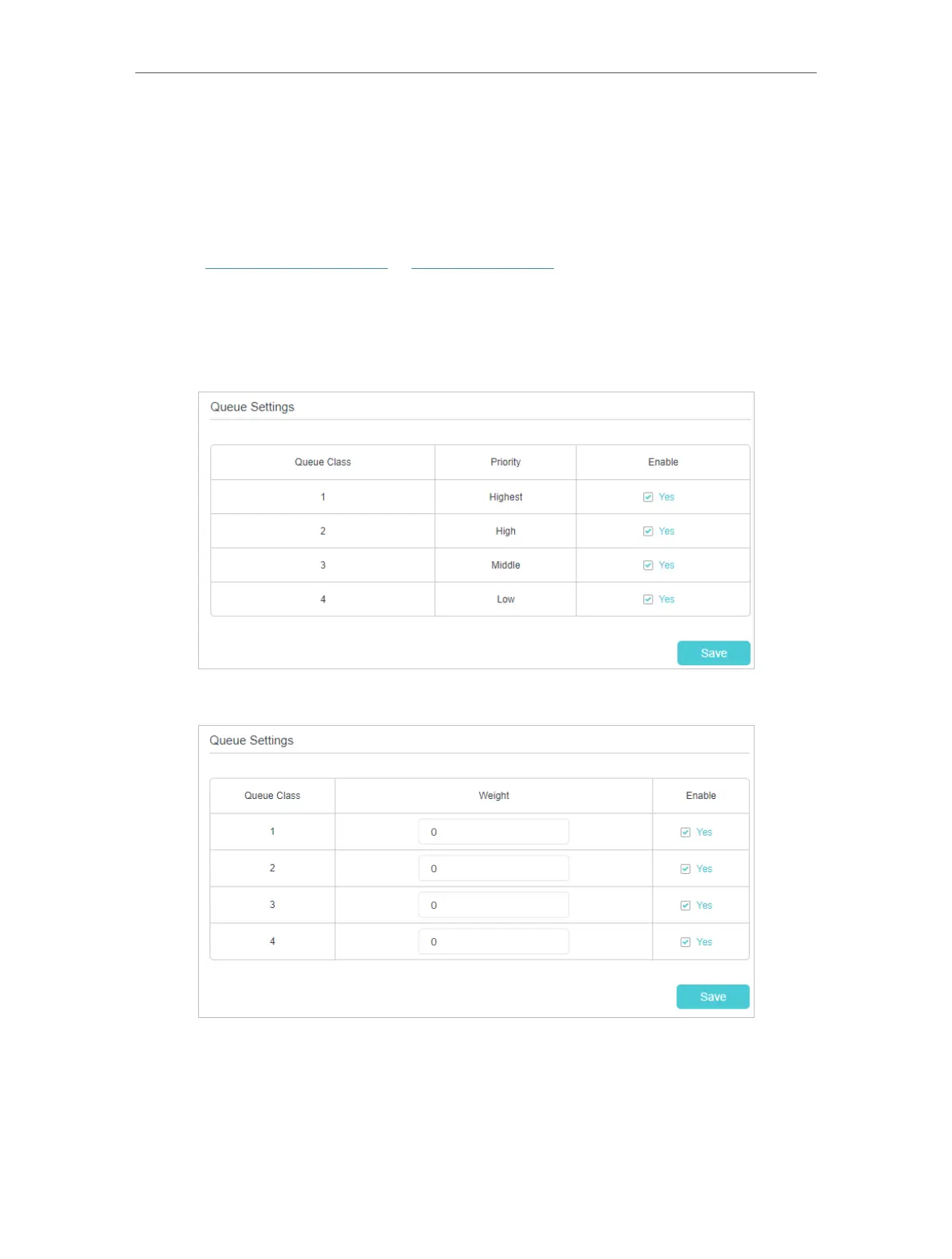
This page allows you to manage your network with queues. With SP algorithm, you
can define packets which is more important and get throught more quickly; with WRR
algorithm, you can allocate quota of bandwith to certain kind of packets.
1. Visit http://tplinkmodem.net or http://192.168.1.1, and log in with the password you
set for the modem router.
2. Go to Advanced > QoS > Queue Settings.
With PQ algorithm:
With WRR algorithm:
3. In the Queue Settings table, choose a priority section and click Save.















 To Next Page