19
Setup for rst use
In the next window enter the installation directory. Click Next >
After this the installation will start by clicking one more time on Next >
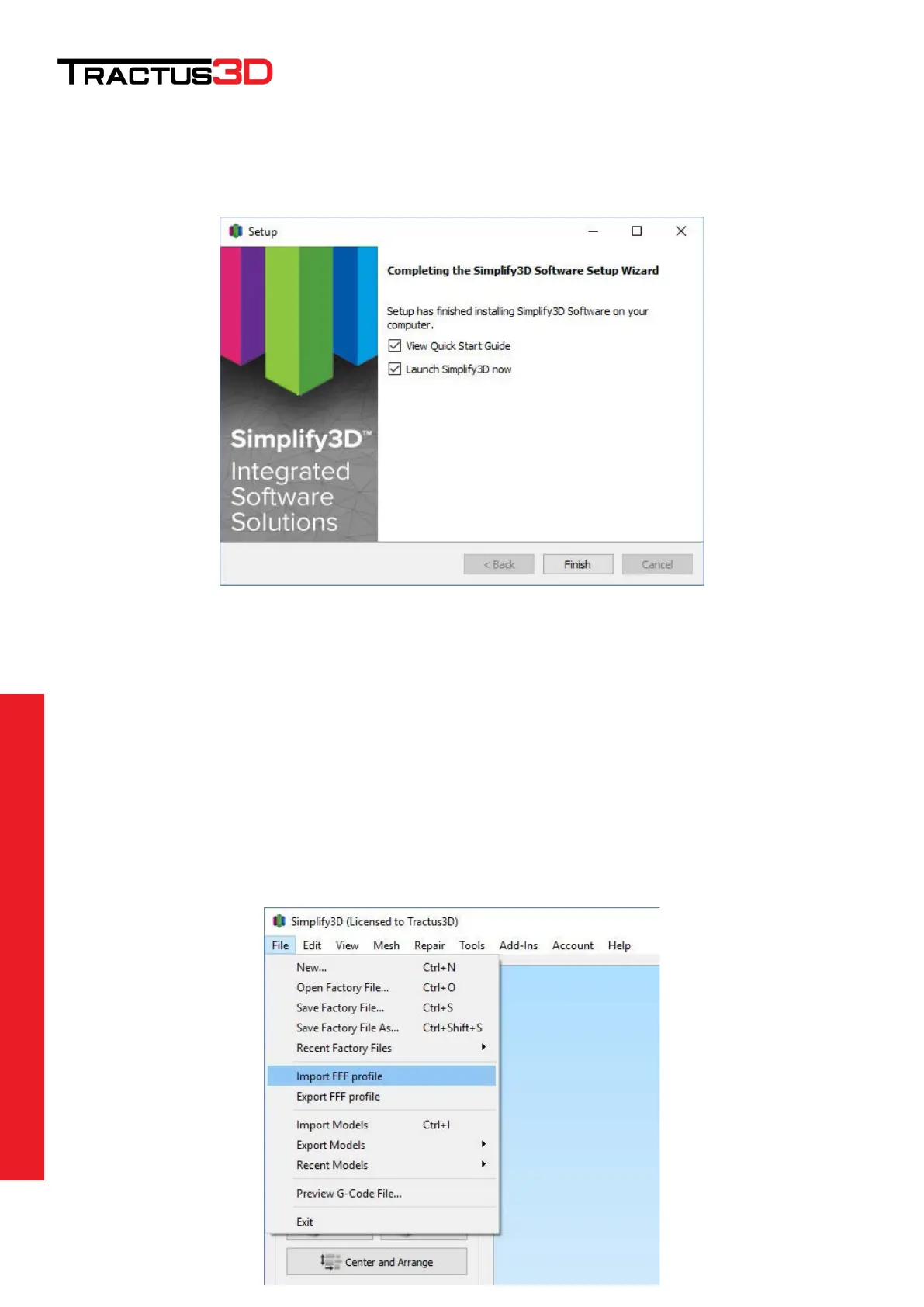
Click on Finish to start Simplify3D for the first time.
On the printer installation screen click Cancel. Simplify3D will now open in default settings.
Importing Tractus3D settings in Simplify3D
Now it’s time to setup your printer in Simplify3D by the latest settings delivered by Tractus3D.
When you requested your license you also received a mail from Tractus3D with a .FFF file. (settings file for
Simplify3D).
In Simplify3D go to File > Import FFF profile


 To Next Page