26
Operation
Print Status
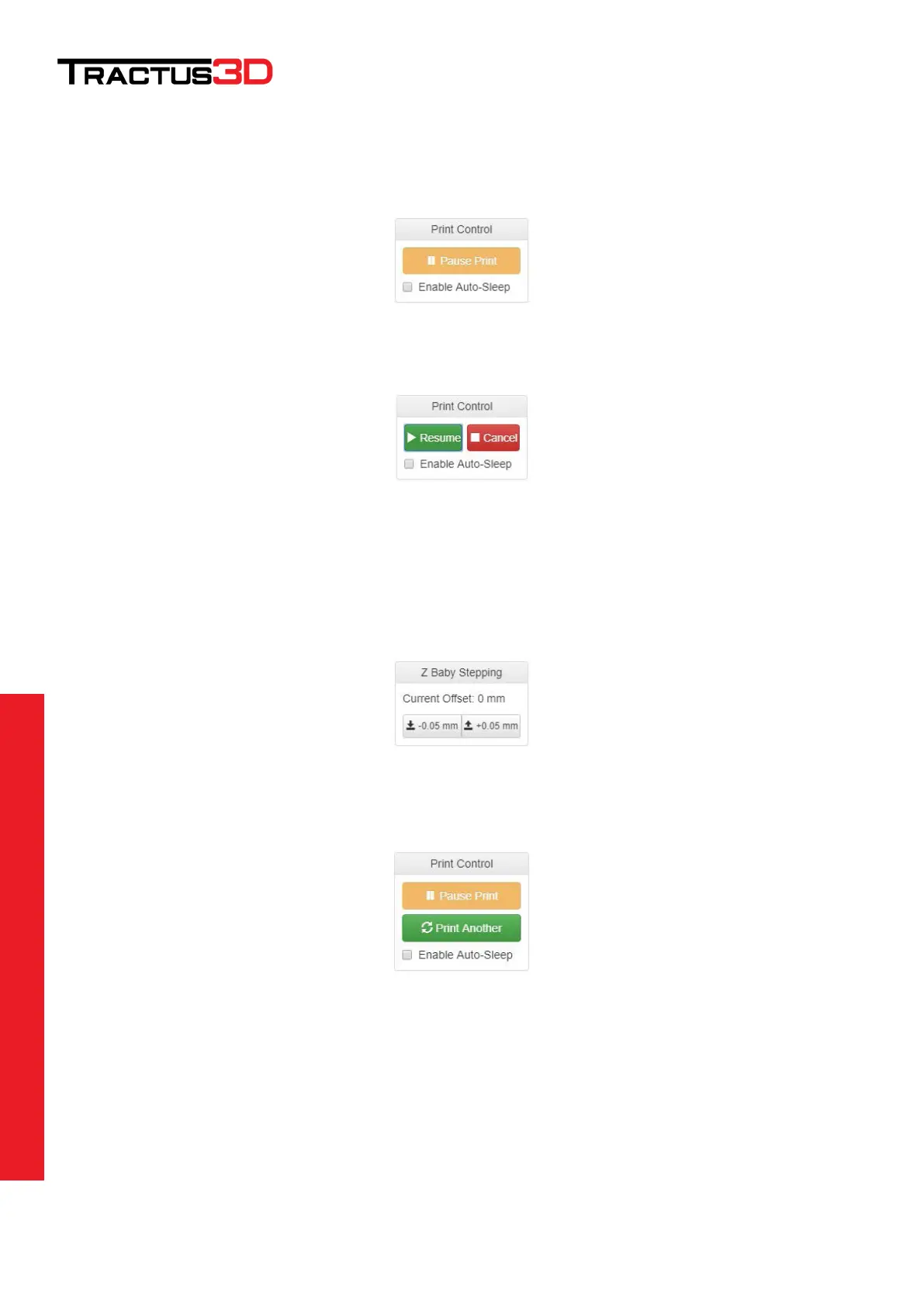
This part of the interface will be only working when a print is running.
When the print is running and you want to pause the print job click on Pause Print.
When you want to cancel the print first Pause the job and press Cancel to stop the job. Press Resume if you
want to continue the print.
When printing the first layer your print head/nozzle can be too high or too low from the bed.
With “Baby Stepping” you can correct this for a better result., because your first layer is very important. To
correct some slight offset you can use the baby stepping to get the print head closer to the bed (-0.05mm) or
get the print head further away from the bed (+0.05mm).
When the print is ready you can click Print Another to make the same print again. Please make sure before you
click this button you cleaned the bed as mentioned in chapter Cleaning your bed.


 To Next Page