27
Operation
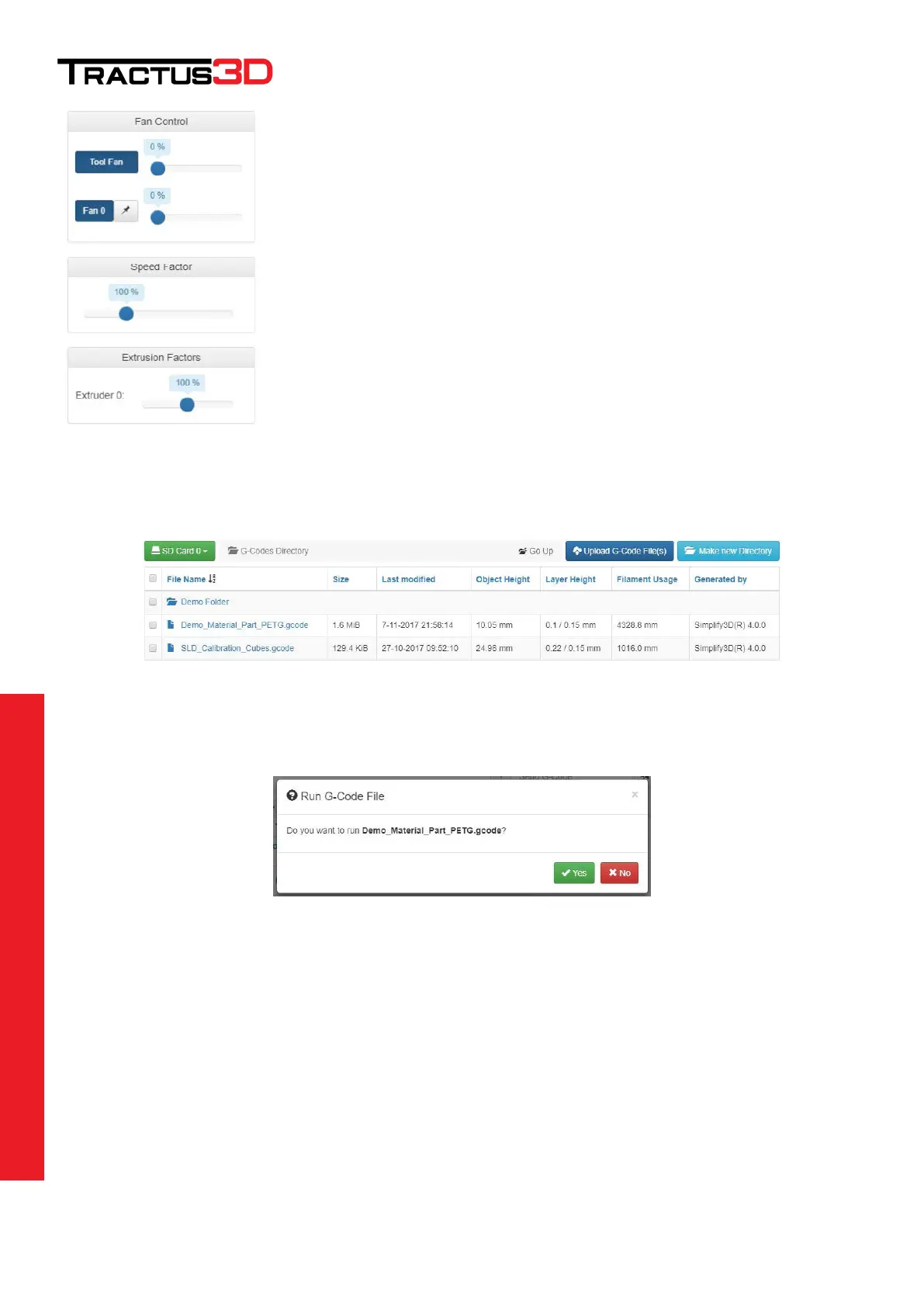
Here you can override the settings of your print file.
Control your Tool Fan (Material Fan) more or less than setup in the slicing software.
Control the speed of the printer
Control the extrusion multiplier of the printer
G-Code Files
Here you can upload your files or start a print. It’s also possible to create folders to get your files organised.
Start a print
Click on a filename in the G-Code Files list to start printing this file.
If you press Yes, the 3D printer will start this file. Most of the time (depending of the start up settings part of your
slicing software) the 3D printer will start warming up the bed first.


 To Next Page