28
Operation
Extra file options
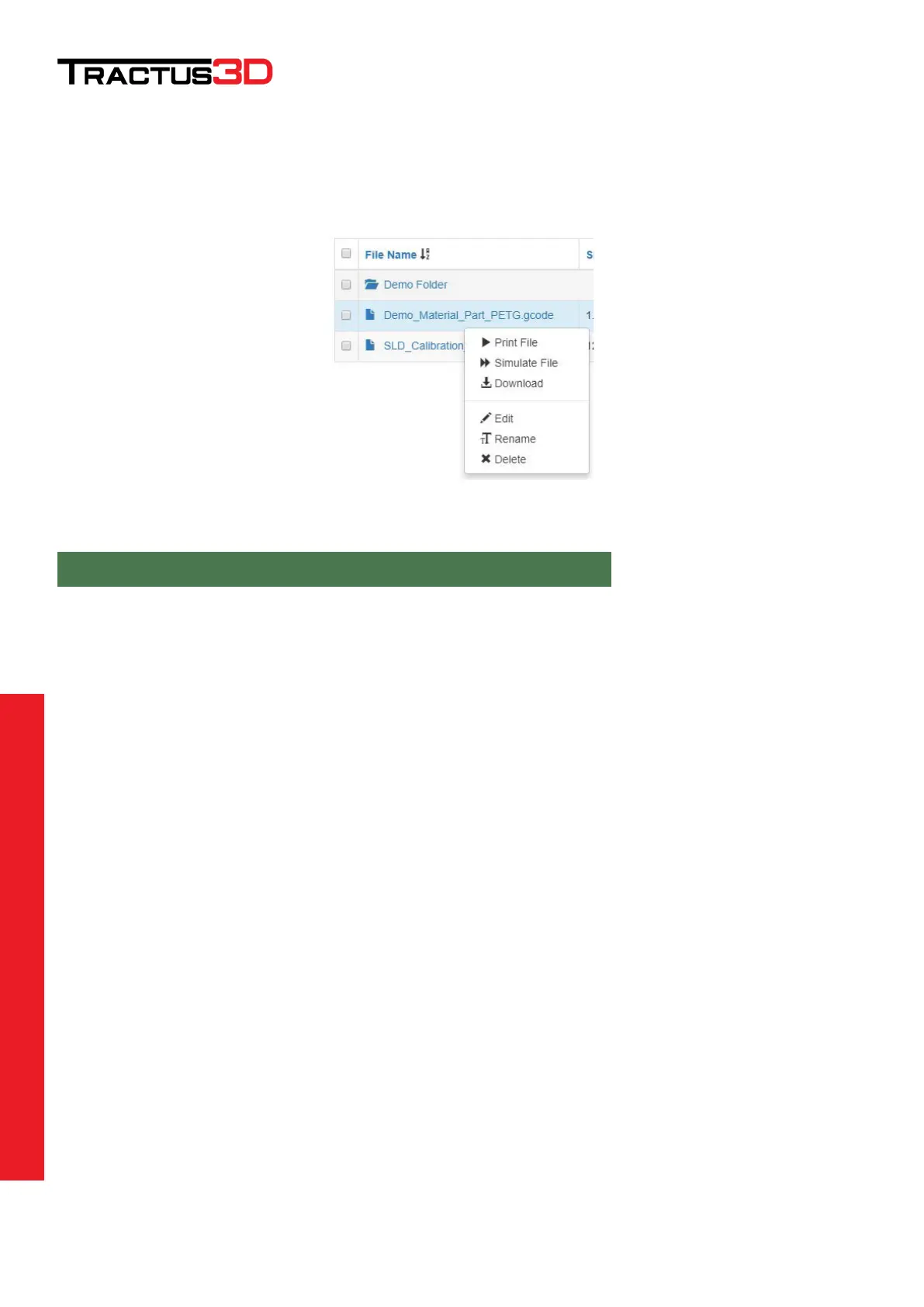
Right mouse click (windows users) on the file will give you more options.
The Simulate File option will start a print (simulated) directly without visible motion on the 3D printer.
With this option you can calculate a really accurate time of printing and usage of the material.
When the simulation is finished you will get a message on the web interface:
File Demo_Material_Part_PETG.gcode will print in 0h 38m plus heating time
With the more option list, you can also rename, delete a file or download the file to the computer. We don’t
advise to use the Edit if you have an editor like notepad++ on your computer as this is a slow method compared
to an external editor.


 To Next Page