
EasyManua.ls Logo

Trane E50 Series - User Manual

Trane E50 Series
36 pages
Print Icon
To Next Page IconTo Next Page
Loading...
SSAAFFEETTYY WWAARRNNIINNGG
Only qualified personnel should install and service the equipment. The installation, starting up, and servicing of heating, ventilating, and air-conditioning
equipment can be hazardous and requires specific knowledge and training. Improperly installed, adjusted or altered equipment by an unqualified person
could result in death or serious injury. When working on the equipment, observe all precautions in the literature and on the tags, stickers, and labels that
are attached to the equipment.
April 2021
BBAASS--SSVVXX007766CC--EENN
Installation, Operation, and Maintenance
E50 Series
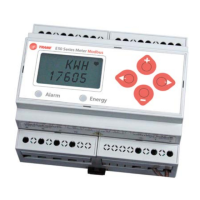
Compact Power and Energy Meter
BACnet TP E50H2-T2
PN: X13690276002

Questions and Answers

  • S
    Shelby SanchezAug 11, 2025
    Why is the data displayed on my Trane Measuring Instruments inaccurate?
    • S
      solomoncynthiaAug 11, 2025
      Inaccurate data display on your Trane Measuring Instruments can stem from several causes. First, verify the values entered for power meter setup parameters, such as CT and PT ratings, and system type, as incorrect setup values can lead to inaccuracies. Also, check the power meter voltage input terminals to ensure they are receiving adequate voltage. Finally, a faulty wiring may be the root cause, so check all CTs and PTs to verify correct connection to the same service, PT polarity, and adequate powering.
  • N
    narcherAug 19, 2025
    What to do if I cannot communicate with the Trane Measuring Instruments power meter from a remote PC?
    • C
      Crystal ParkerAug 19, 2025
      If you're unable to communicate with the power meter from a remote PC, start by verifying that the meter is correctly addressed and that the baud rate of the meter matches that of all other devices on its communications link. Also, verify the terminating resistors are properly installed on both ends of a chain of units, and ensure units in the middle of a chain do not have a terminator. Check the power meter communications connections and confirm the shield ground is connected between all units.
  • A
    Alicia RobinsonAug 27, 2025
    How to fix a blank display on Trane E50 Measuring Instruments after applying power?
    • R
      Robert RiveraAug 27, 2025
      If the display is blank after applying power, it might be due to the meter not receiving adequate power. Verify that the meter control power is receiving the required voltage and that the heart icon is blinking. Also, check the fuse.
  • M
    Molly ShortSep 2, 2025
    What does it mean when the maintenance wrench icon appears on my Trane Measuring Instruments power meter display?
    • T
      Thomas MasonSep 2, 2025
      When the maintenance wrench icon appears on the power meter display, it indicates a problem with the inputs to the power meter. Refer to the Alert sub-menu or Diagnostic Alert Modbus Register 146 for more information.

Summary

Introduction and Safety Notices

Safety Advisory Definitions

Defines safety advisory types: Warning, Caution, and Notice.

Key Safety Precautions

Field Wiring and Grounding Safety

Emphasizes qualified personnel for wiring and grounding to prevent hazards.

Personal Protective Equipment (PPE) Requirements

Details mandatory PPE for electrical, mechanical, and chemical hazards.

EHS Policy Adherence

Outlines adherence to company EHS policies and local regulations.

Product Specifications Overview

Installation Procedures

Supported Systems and Configuration

System Type Configuration

Explains how to set System Type for correct wiring configurations and measurements.

Wiring and Symbolism

Critical Electrical Hazard Warnings

Control Power and Fuse Recommendations

Fuse Selection Criteria

Criteria for selecting fuses and circuit breakers for safe installation.

Navigating and Setting Parameters

Navigating Setup and BACnet Parameters

Guide to navigating setup screens and configuring BACnet settings.

Setting CT Size and System Type

Guide for setting CT size and selecting the system type for monitoring.

User Interface Overview

Alert and Reset Information

System Reset Functions

Describes how to reset energy accumulators, demand maximums, and pulse counters.

User Interface Setup: Communications and System

Setting BACnet Communications and CT Size

Configuration of BACnet settings and Current Transducer size.

Setting System Configuration and Voltage

Selection of system type and inputting system voltage.

User Interface Setup: Phase Loss and Demand

RS-485 Communications

Standard BACnet Default Settings

BACnet Programming Overview

BACnet Object Type Details

Device Object Properties

Analog Value (AV) Object Properties

Analog Inputs (AI) Object Properties

Binary Input (BI) Object Properties

Troubleshooting Guide

Trane E50 Series Specifications

General IconGeneral
BrandTrane
ModelE50 Series
CategoryMeasuring Instruments
LanguageEnglish