10
Setup Manual - Butler S2
Control/interface Function
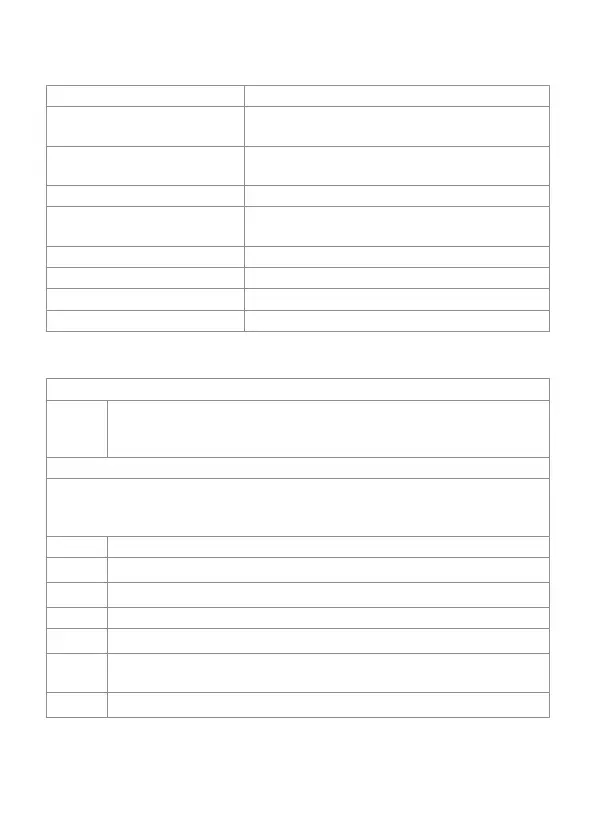
e:net activity Two LEDs, showing physical link to a server
system (Link) and data exchange (Activity)
microSD slot Keeps an microSD card for show and data
storage
Select button For cuelist control and system operations
7-segment LED display Show system messages and current cuelist
status
Power Power supply 12 … 24 V DC
DMX1 DMX output universe #1/RDM universe #1
DMX2 DMX output universe #2/RDM universe #2
e:net e:net/Ethernet connection
Cuelist displays
Online mode
o
A clockwise rotating circle show connection to a system and the
Programmer of the Lighting Application Suite. The Butler S2 is now in
online mode to be congued or to receive cuelist uploads.
Standalone mode
When in normal operation mode the display consecutively shows the current
sync state, the output mode and the number of cuelists that are played at the
moment. The status is displayed as SYN - MODE - CL - [pause]
SYN The sync mode, either the Butler S2 is master or slave.
A
»A« This Butler S2 is a master.
b
»b« This Butler S2 runs in slave mode.
MODE This show the output mode of the Butler S2
d
»d« The Butler outputs DMX.
CL Cuelist information. 0 … 8 for the number of simultaneously playing
cuelists. 0 means no cuelist available.
4
The number of cuelists is displayed as a single digit.


 To Next Page