18
Setup Manual - Butler S2
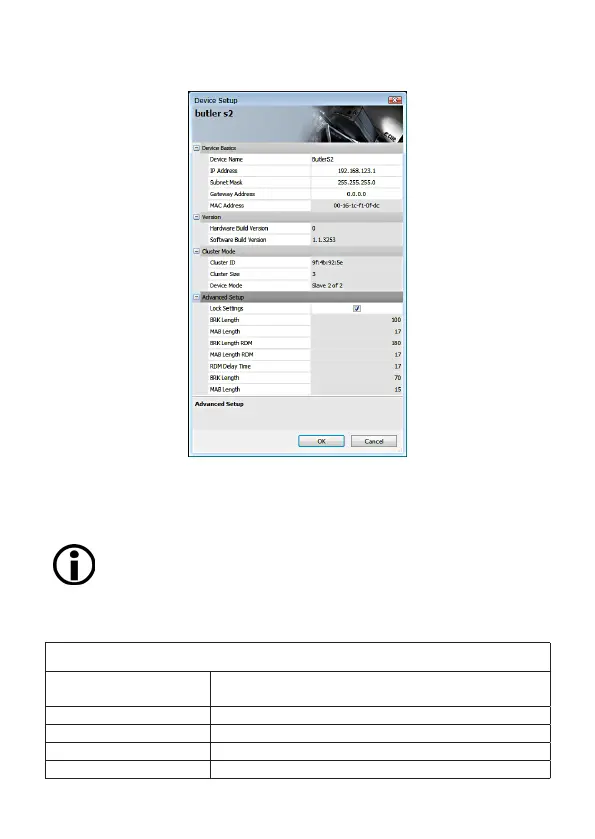
Set the necessary parameters for the Butler S2. The factory settings for the IP
address is 192.168.123.1, be sure that no other device in the network uses this IP
address.
When setting up more then one Butler S2 with factory settings, con-
nect only one to the network, set a new IP address, then connect and
configure the next Butler S2.
Network parameters
Device Basics
Device Name The device will be displayed with this name in the e:cue
programmer.
IP address The IP address of the device (default: 192.168.123.1)
Subnet Mask The netmask of the device (Default: 255.255.255.0)
Gateway address The default gateway of the device (Default: no gateway)
MAC address The physical address of the device (read only)


 To Next Page