Firmware update
To update the firmware on the Butler S2 first download the latest firmware release
from the Traxon Technologies website see the Butler S2 page for details. Download
the firmware file and save it in a local directory on your server.
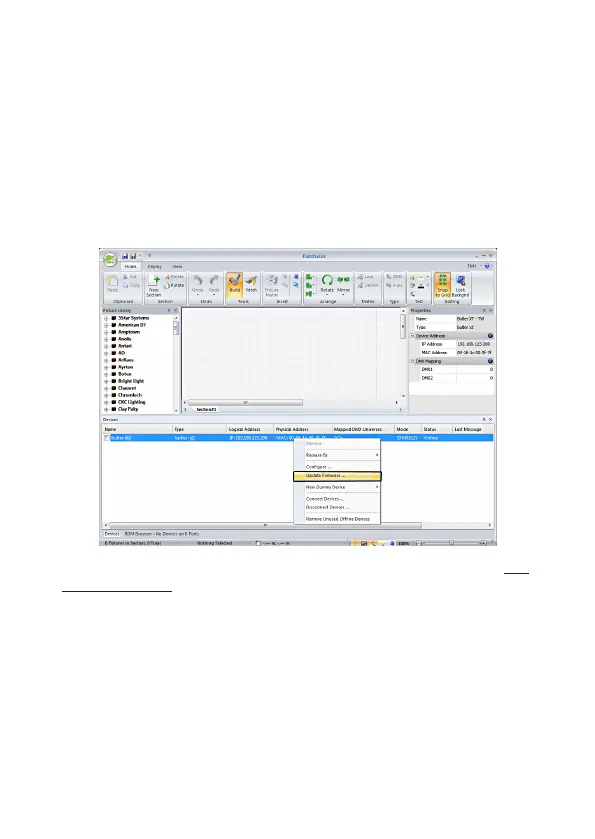
Start the Patchelor from the e:cue Lighting Application Suite. Every engine available
in the network gets displayed, also the Butler S2 to update. Be sure that the check-
mark in front of the Butler S2 is unset.
• Select the Butler S2 with a click, press the right mouse button and select Up-
date Firmware.
• Select the file with the new firmware (*.bxt) in the upcoming dialog.
• After the download is complete the Butler S2 will restart with the new firmware.
The new firmware is available now.
If the update fails, the Butler will start with a message L O A d . Power down the
Butler S2 and repower keeping the system button pressed. Retry to download the
new firmware.


 To Next Page