7
Setup Manual - Butler S2
Safety instructions
i
Only use the device in compliance with the environmental conditions
specified in the technical data. Otherwise the unit will be damaged.
i
To prevent the device from overheating, only operate it in well-ventilat-
ed environment. Otherwise the unit may overheat and fail.
i
Actions described in this manual may only be performed with special
care by skilled personnel. Incorrect handling may damage the unit
i
Repairs may only be carried out by authorized, specially trained per-
sonnel to ensure reliability. When in doubt, contact e:cue service.
Delivery content
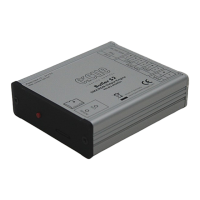
• Butler S2 device EN.BU.0000001
• 2-pin screw terminal AC.BU.0000003
• microSDHC card for show storage AC.BU.0000002
• Setup Manual English/German
Optional accessories
• Butler S2 accessory pack AC.PS.1003401
(12 V DC/12 W plug power supply, connector)
• Butler S2 Garage AC.BG.0000001
(for up to 12 Butler S2 incl. power supply, 3U)
• RJ45-to-XLR5 adapter cable AC.BU.0000010


 To Next Page