12
Connection Mechanism
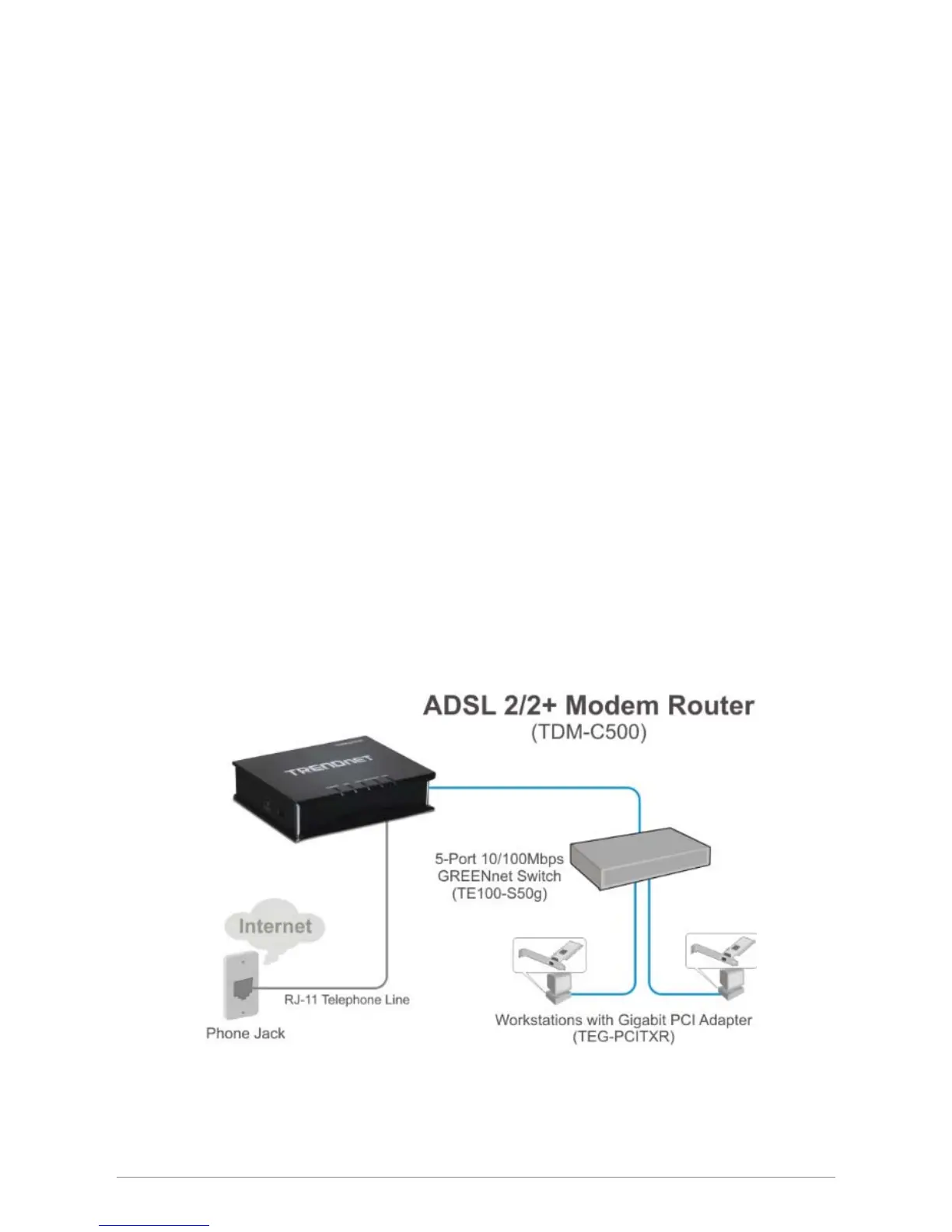
This section describes the hardware connection mechanism of TDM-C500 ADSL2/2+ Modem Router on
your Local Area Network (LAN) connected to the Internet, how to configure your TDM-C500 ADSL2/2+
Modem Router for Internet access or how to manually configure your Internet connection.
You need to prepare the following items before you can establish an Internet connection through your
TDM-C500 ADSL2/2+ Modem Router:
1. A computer/notebook which must have an installed Ethernet Adaptor and an Ethernet Cable.
2. ADSL/ADSL2/ADSL2+ service account and configuration information provided by your Internet
Service Provider (ISP). You will need one or more of the following configuration parameters to
connect your TDM-C500 ADSL2/2+ Modem Router to the Internet:
a. VPI/VCI parameters
b. Multiplexing Method or Protocol Type or Encapsulation Type
c. Host and Domain Names
d. ISP Login Name and Password
e. ISP Domain Name Server (DNS) Address
f. Fixed or Static IP Address.
Figure below shows the overall hardware connection mechanism of your TDM-C500 ADSL2/2+ Modem
Router.














 To Next Page