47
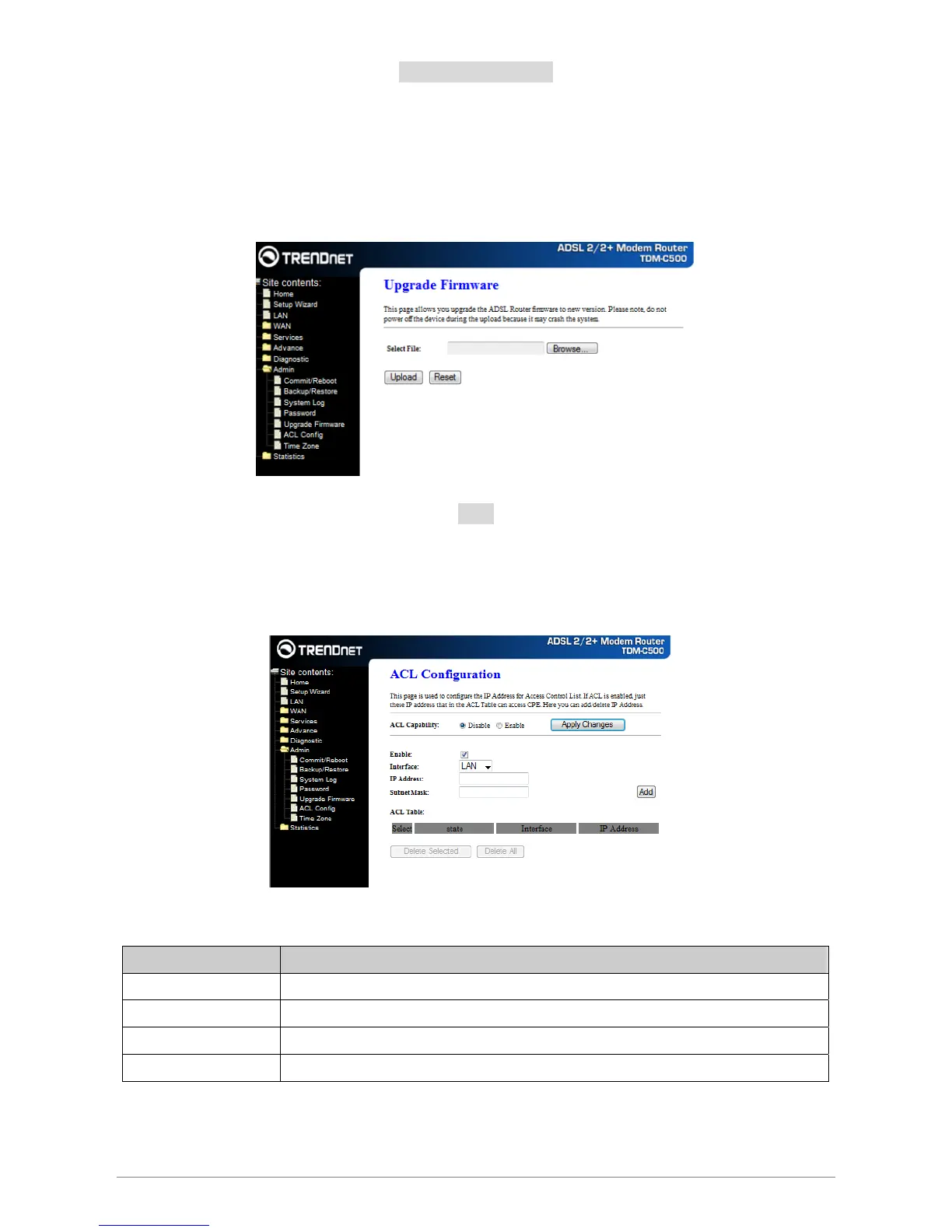
Upgrade Firmware
To upgrade the firmware for the DSL device:
− Click the Browse button to select the firmware file.
− Confirm your selection.
− Click the Upload button to start upgrading.
IMPORTANT! Do not turn off your DSL device or press the Reset button while this procedure is in progress.
ACL
The Access Control List (ACL) is a list of permissions attached to the DSL device. The list specifies who
is allowed to access this device. If ACL is enabled, all hosts cannot access this device except for the hosts
with IP address in the ACL table.
Fields in this page:
Field Description
ACL Capability Enable/disable the ACL function
Enable Check to enable this ACL entry
Interface Select the interface domain: LAN or WAN
IP Address Enter the IP address that allows access to this device.














 To Next Page