2
Device Administration
For your convenience, an Administrative Utility has been programmed into TDM-C500 ADSL2/2+
Modem Router. This chapter will explain all the functions in this utility. All the TDM-C500 ADSL2/2+ Modem
Router based administrative tasks are performed through this web utility.
Login
To access the TDM-C500 ADSL2/2+ Modem Router Configuration screens, follow the following steps
will enable you to log into the TDM-C500 ADSL2/2+ Modem Router:
1.
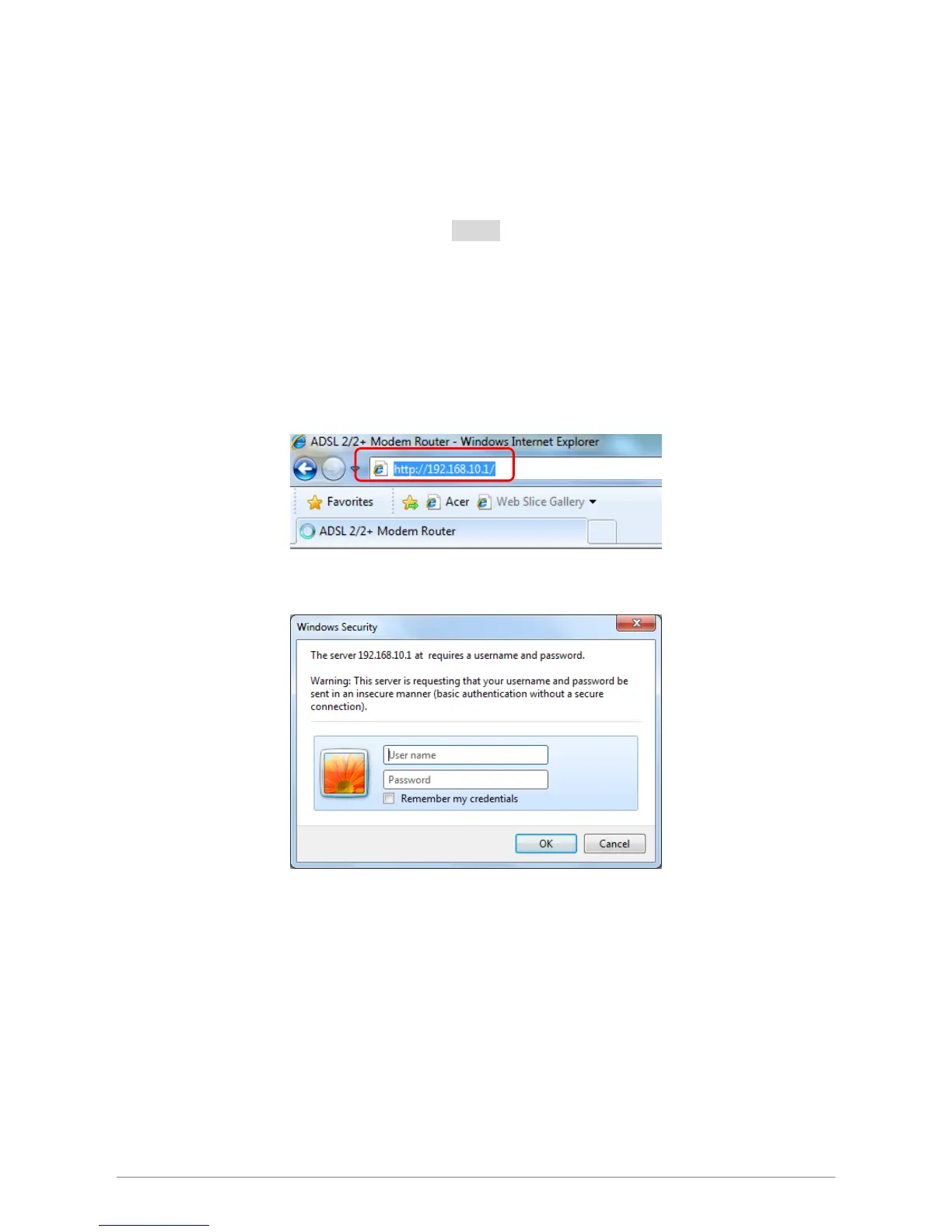
Launch your web browser, and enter the TDM-C500 ADSL2/2+ Modem Router’s default IP
Address:
“192.168.10.1”
in the
address field then press the “Enter” key to login.
2. Enter your user name and password in the login window. The default username and password is
“admin”.














 To Next Page