15
USB Driver Installation-Windows 98SE/ME/2000/XP
Step 1: Power On your computer.
Step 2: Insert the Square end of the USB cable into the USB port of the USB ADSL Router. Connect the
other end of the USB cable to a free USB Port socket on your computer.
Step 3: Windows System will detect the newly-installed modem and a “Found New Hardware Wizard”
window will appear. Click “Cancel” to close the pop-up wizard.
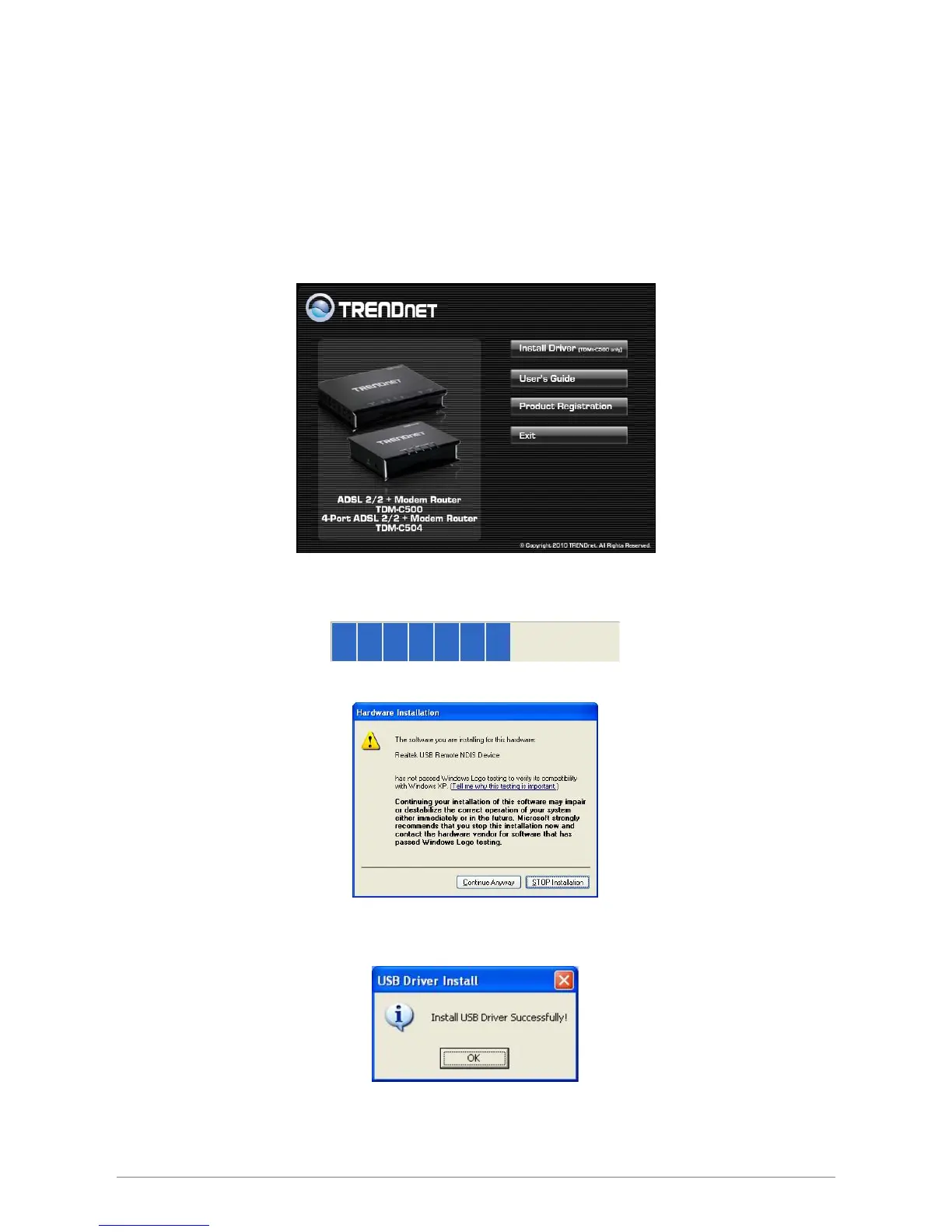
Step 4: Please insert your installation CD into your CD drive, and then the CD will auto-run and show the
main installation screen as below. Please click “Install Driver” to start the installation.
Step 5: Your Windows system will automatically install the device driver and copy all the necessary files to
your system. An icon will appear indicates the files copying process.
Step 6: The following window pop-up. Click “Continue Anyway” to continue.
Step 7: When completed, the following wizard displayed. Click “OK” to complete the Driver Installation
process.














 To Next Page