4
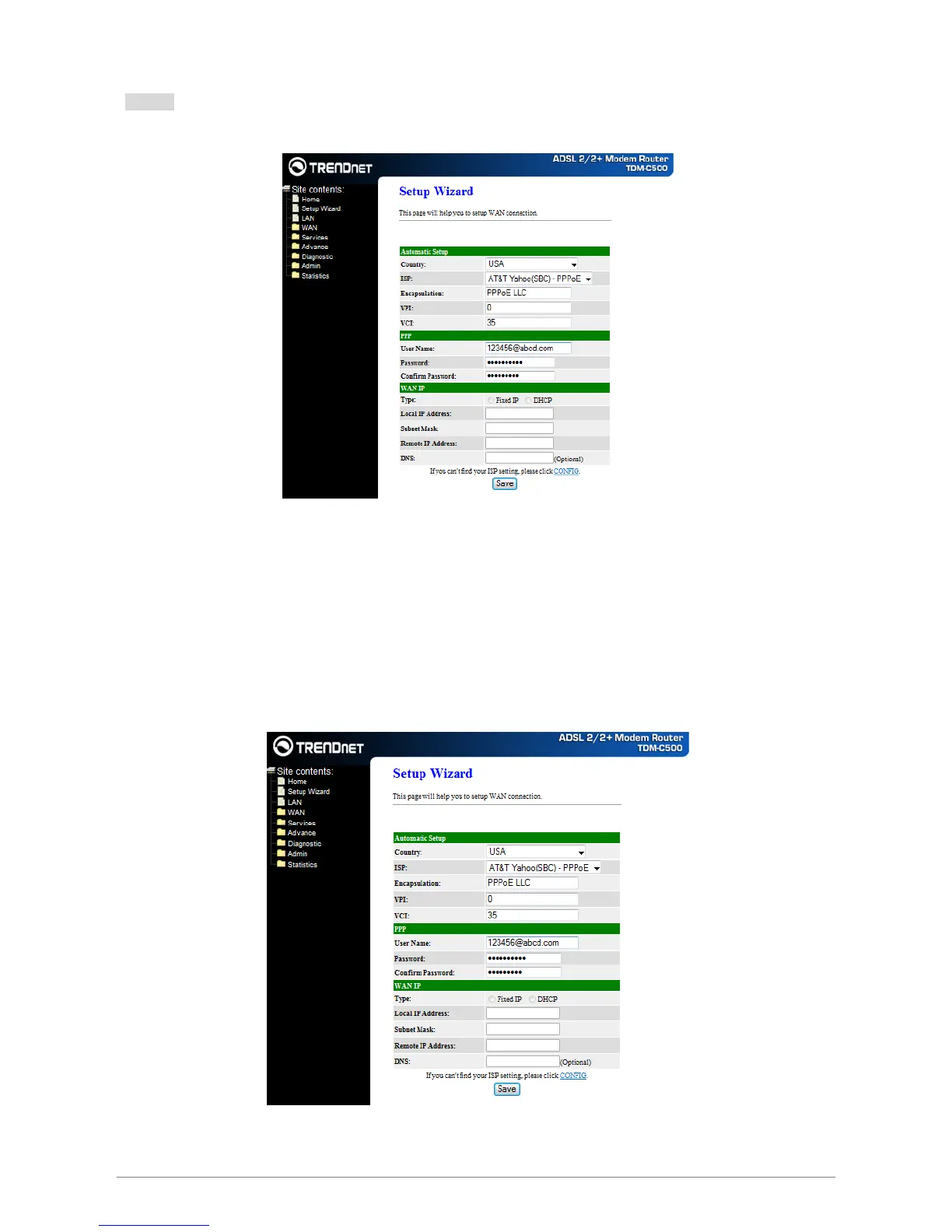
Step 1: Select your country from the Country list and the ADSL service provider from the ISP List (If there
are more than two ISP in your country) and note the “Encapsulation” type and “VPI & VCI” setting.
Note: Click “CONFIG” if you cannot find your parameters available in the pull down menu. Contact your ISP
for configuration settings.
A. For countries with the following “Encapsulation” type , you will enter into set Username and
Password window as shown below:
; PPPoA VC-Mux
; PPPoA LLC
; PPPoE VC-Mux
; PPPoE LLC
Manually enter your “User Name” and “Password” which will be provided by your Service Provider
(ISP). Click “Save” after setup.














 To Next Page