TEW-753DAP User’s Guide System Conguration
© Copyright 2013 TRENDnet. All rights reserved.
47
Time Sengs
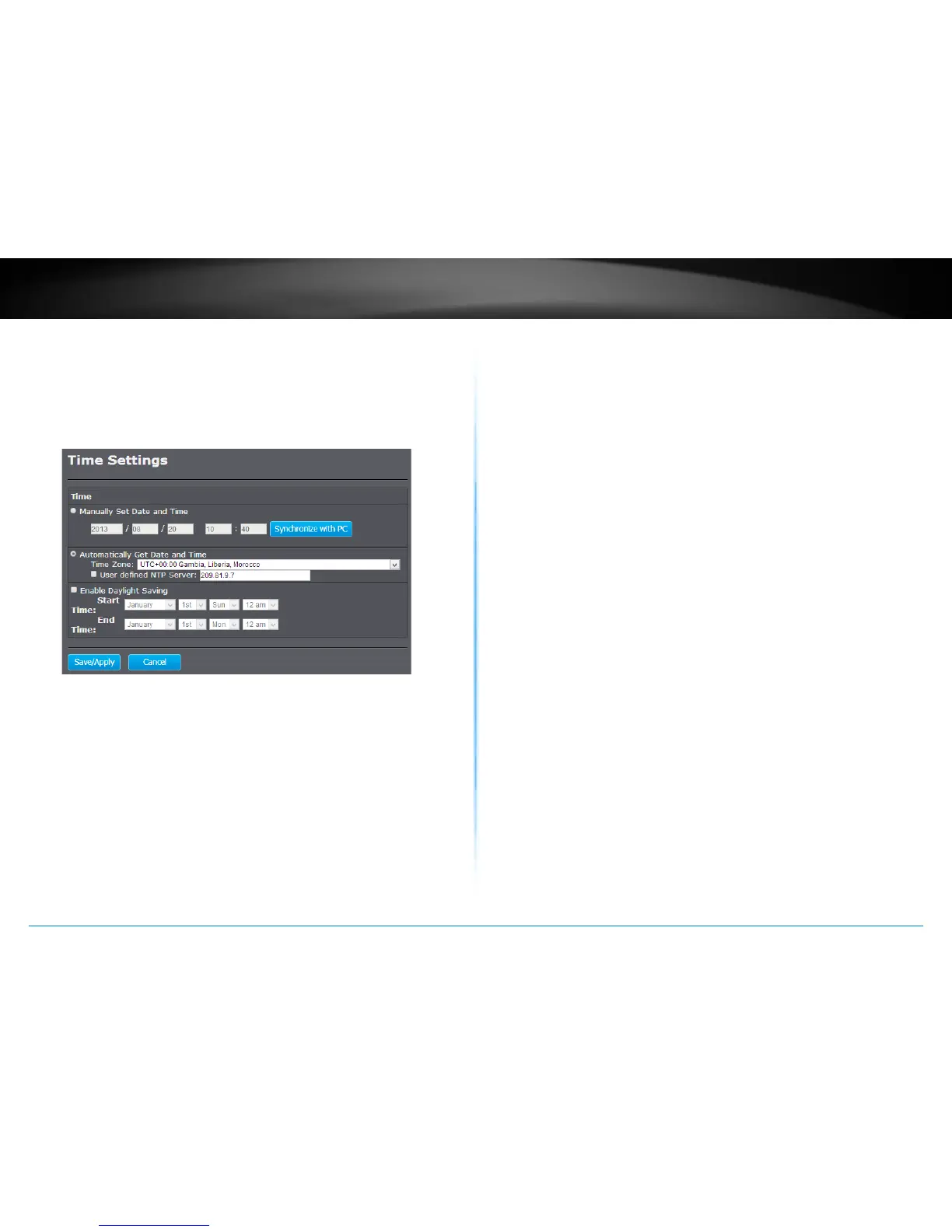
The accuracy of the system clock is important for scheduling and
accurate logging. You can synchronize the system me with your
computer, or automacally check the me accuracy with a network
me server (NTP server).
Manually Set Date and Time
Choose this opon to manually set your system clock. You
can enter the me manually or you can copy the me
from your computer by clicking Synchronize with PC. Click
Save/Apply to change the system clock.
Automacally Get Date and Time
Choose this selecon to get the me from a network me
server automacally. Select the Time Zone of the country
or region you are currently in. The TEW-753DAP will set its
me based on your selecon.
If you have a preferred NTP server, check the User
dened NTP Server and Enter the NTP server IP address.
Otherwise, leave it unchecked to use the TEW-753DAP’s
default NTP server.
Check Enable Daylight Saving if your me zone has
daylight savings. Enter the start me and end me of
daylight savings.
When you nish your sengs, click Save/Apply to change
the system clock.















 To Next Page