TEW-753DAP User’s Guide System Conguration
© Copyright 2013 TRENDnet. All rights reserved.
48
Schedule
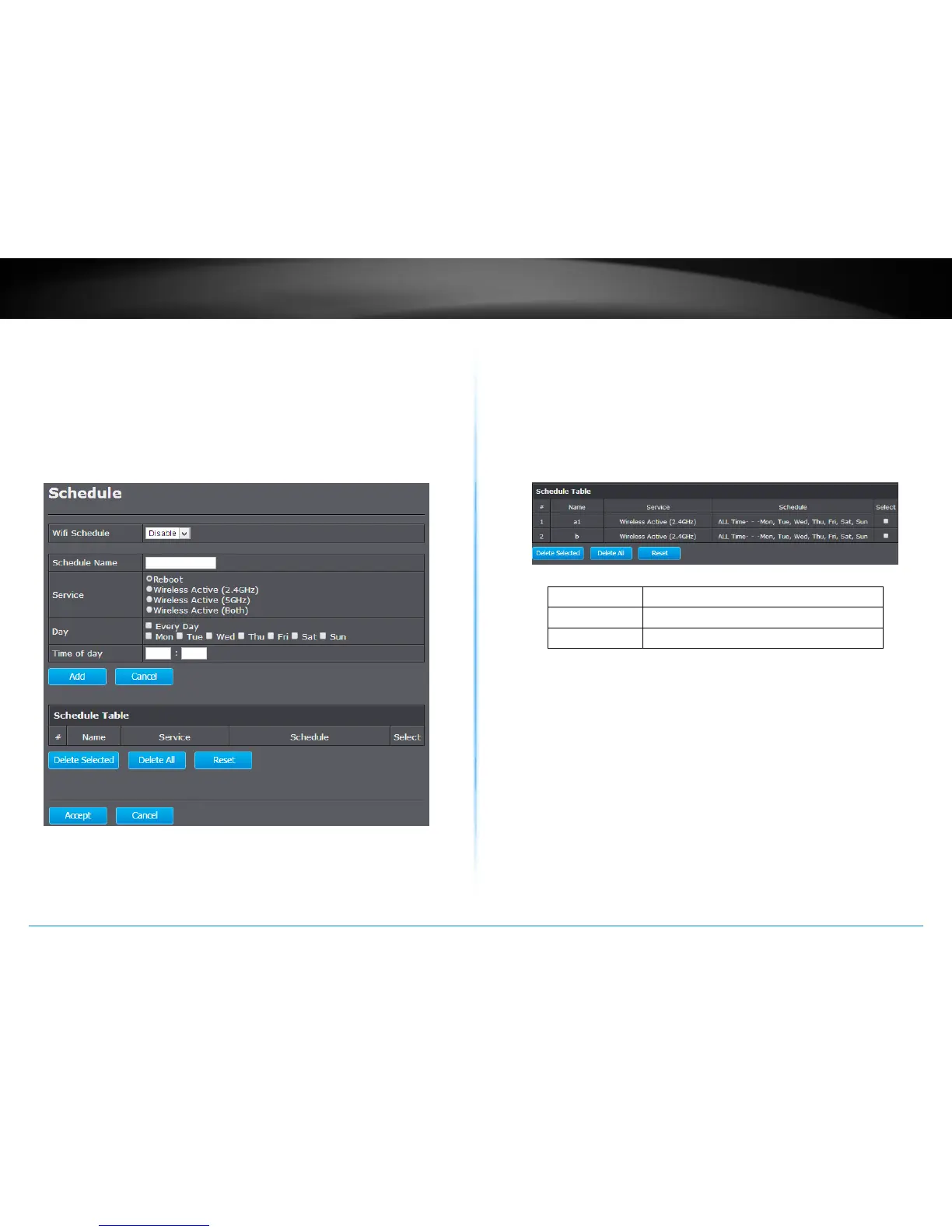
Service schedule can be set up daily or weekly for power saving and
security reasons. You can setup up to 50 schedule entries. Click Add to
add a schedule entry. Select an entry and then click Delete Selected to
delete the entries. Click Reset to remove the selecons. Click Delete All
to remove all entries. Aer schedule eding, click Apply to save your
schedule. Check Enabled Schedule Table to make AP services work with
the schedule.
Delete Selected :
Delete selected schedule
Delete All :
Click this buon to clear the list
Reset :
Reset previous selecons
Apply : Click this buon to apply the changes.
Cancel : Click this buon to cancel the change.















 To Next Page