© Copyright 2019 TRENDnet. All Rights Reserved.
Industrial Managed Switch Series
Wednesday | Thursday |
Friday | Saturday) MONTH
OCLOCK
time daylight-saving-time
end-date (first | second |
third | fourth | last) (Sunday
| Monday | Tuesday |
Wednesday | Thursday |
Friday | Saturday) MONTH
OCLOCK
This command sets the end date for
the Daylight Saving Time.
For Example: Last Sunday 10 18 (PM: 6
Last Sunday in October)
no time daylight-saving-time
This command disables daylight saving
on the Switch.
time ntp-server IP_ADDRESS
This command sets the IP address of
your time server.
This command disables the NTP server
settings.
Selects the time difference between
UTC (formerly known as GMT) and your
time zone.
Valid value: -1200 to 1200.
Example:
[DEVICE_NAME](config)#time ntp-server 192.5.41.41
[DEVICE_NAME](config)#time timezone +0800
[DEVICE_NAME](config)#time ntp-server enable
[DEVICE_NAME](config)#time daylight-saving-time start-date first Monday 6 0
[DEVICE_NAME](config)#time daylight-saving-time end-date last Saturday 10 0
Web Configuration
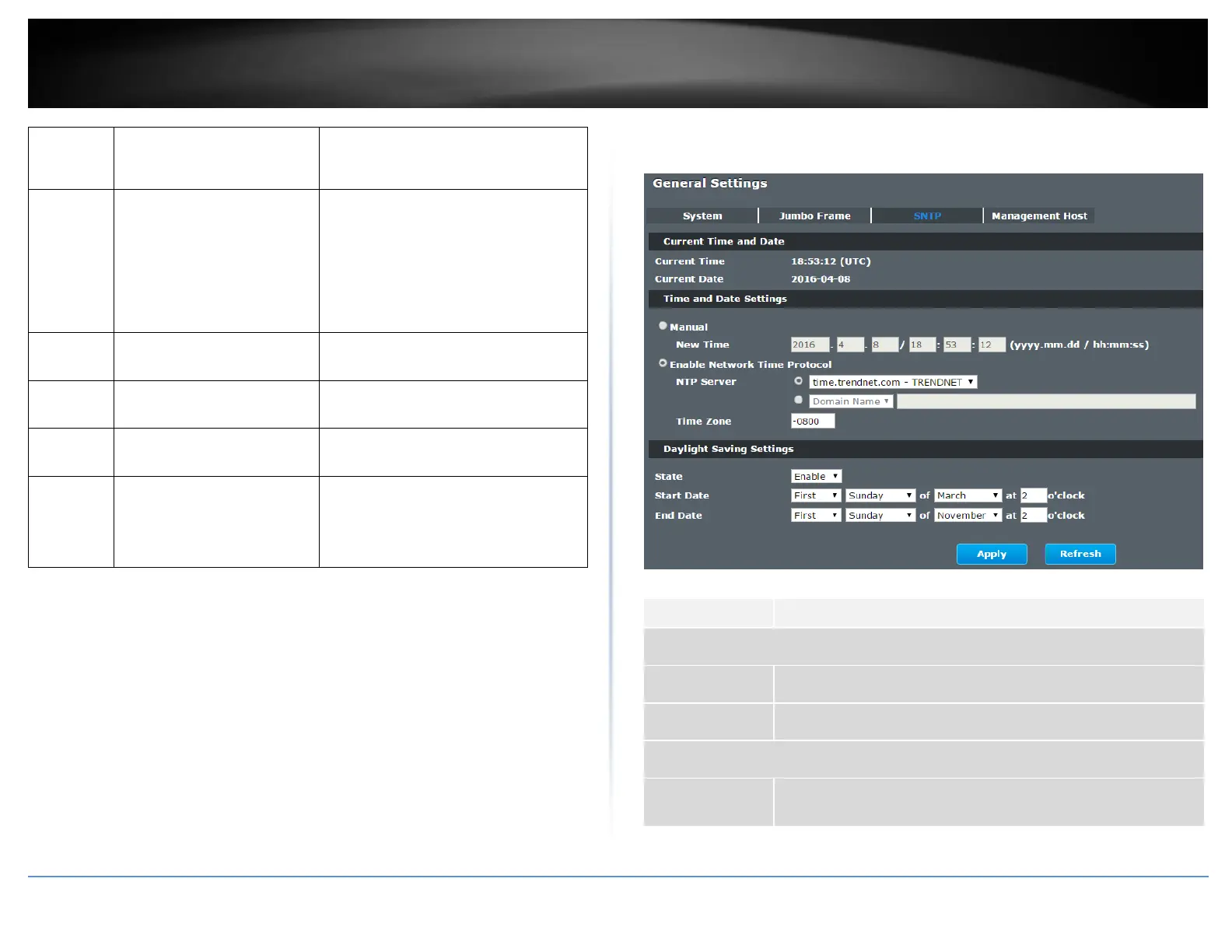
Basic Settings > General Settings > SNTP
This field displays the time you open / refresh this menu.
This field displays the date you open / refresh this menu.
Select this option if you want to enter the system date and time
manually.














 To Next Page