© Copyright 2019 TRENDnet. All Rights Reserved.
Industrial Managed Switch Series
Select a port number to modify its maximum host count.
Configures the specific port if it is a trust port.
Enter the maximum number of hosts (1-32) that are permitted
to simultaneously connect to a port.
Click Apply to take effect the settings.
Click Refresh to begin configuring this screen afresh.
Binding Table
The DHCP Snooping binding table records the host information learned by DHCP
snooping function (dynamic) or set by user (static). The ARP inspection will use this
table to forward or drop the ARP packets. If the ARP packets sent by invalid host, they
will be dropped. If the Lease time is expired, the entry will be removed from the table.
Static bindings are uniquely identified by the MAC address and VLAN ID. Each MAC
address and VLAN ID can only be in one static binding. If you try to create a static
binding with the same MAC address and VLAN ID as an existing static binding, the new
static binding replaces the original one.
CLI Configuration
show dhcp-snooping binding
This command displays the current
DHCP snooping binding table.
dhcp-snooping binding mac
MAC_ADDR ip IP_ADDR vlan
VLANID port PORT_NO
This command configures a static
host into the DHCP snooping
binding table.
no dhcp-snooping binding mac
MACADDR
This command removes a static
host from the DHCP snooping
binding table.
Example:
[DEVICE_NAME]#configure terminal
[DEVICE_NAME](config)#dhcp-snooping binding mac 00:11:22:33:44:55 ip
1.1.1.1 vlan 1 port 2
[DEVICE_NAME](config)#no dhcp-snooping binding mac 00:11:22:33:44:55
[DEVICE_NAME]#show dhcp-snooping binding
Web Configuration
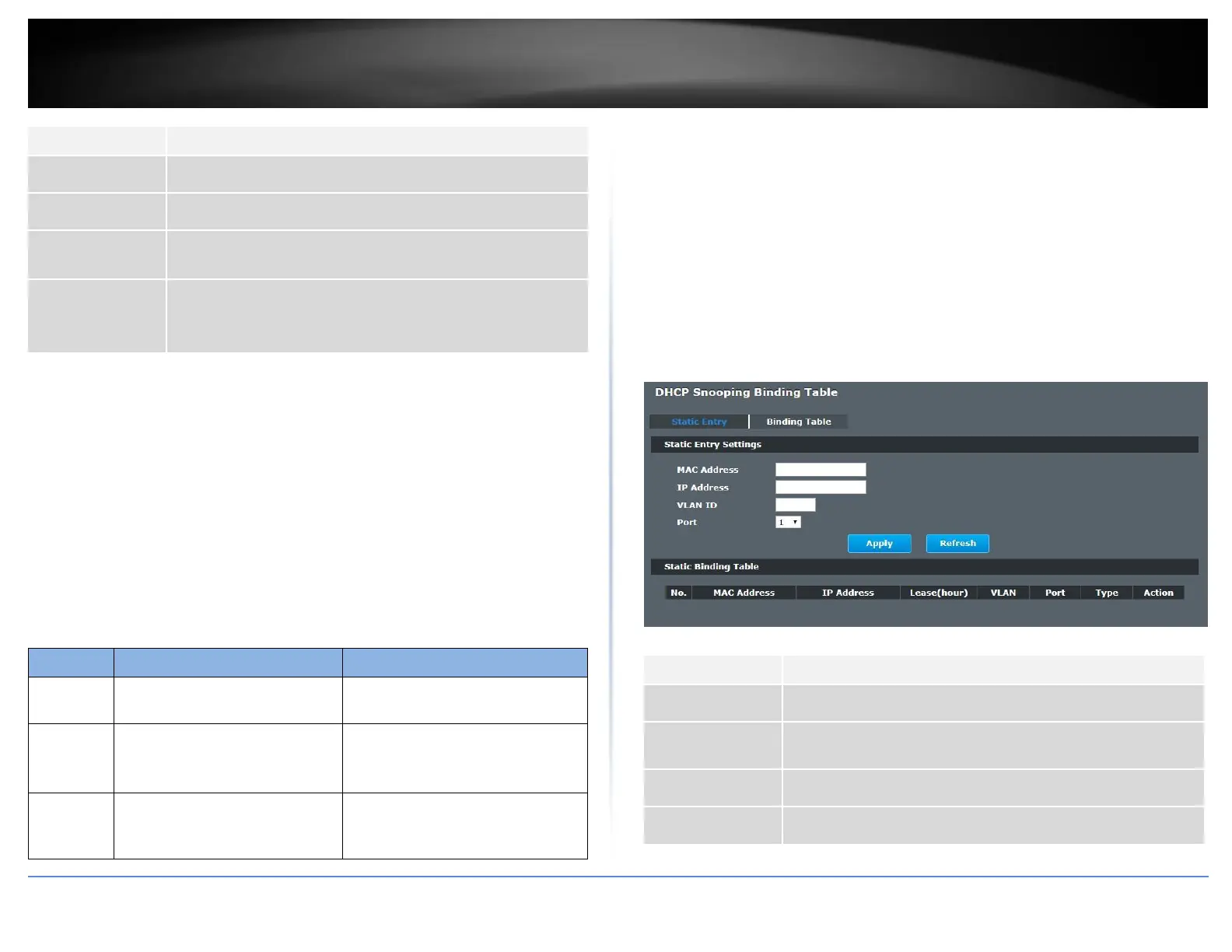
Static Entry Settings
Security > IP Source Guard > Binding Table > Static Entry Settings
Enter the source MAC address in the binding.
Enter the IP address assigned to the MAC address in the
binding.
Enter the source VLAN ID in the binding.
Specify the port in the binding.














 To Next Page