© Copyright 2019 TRENDnet. All Rights Reserved.
Industrial Managed Switch Series
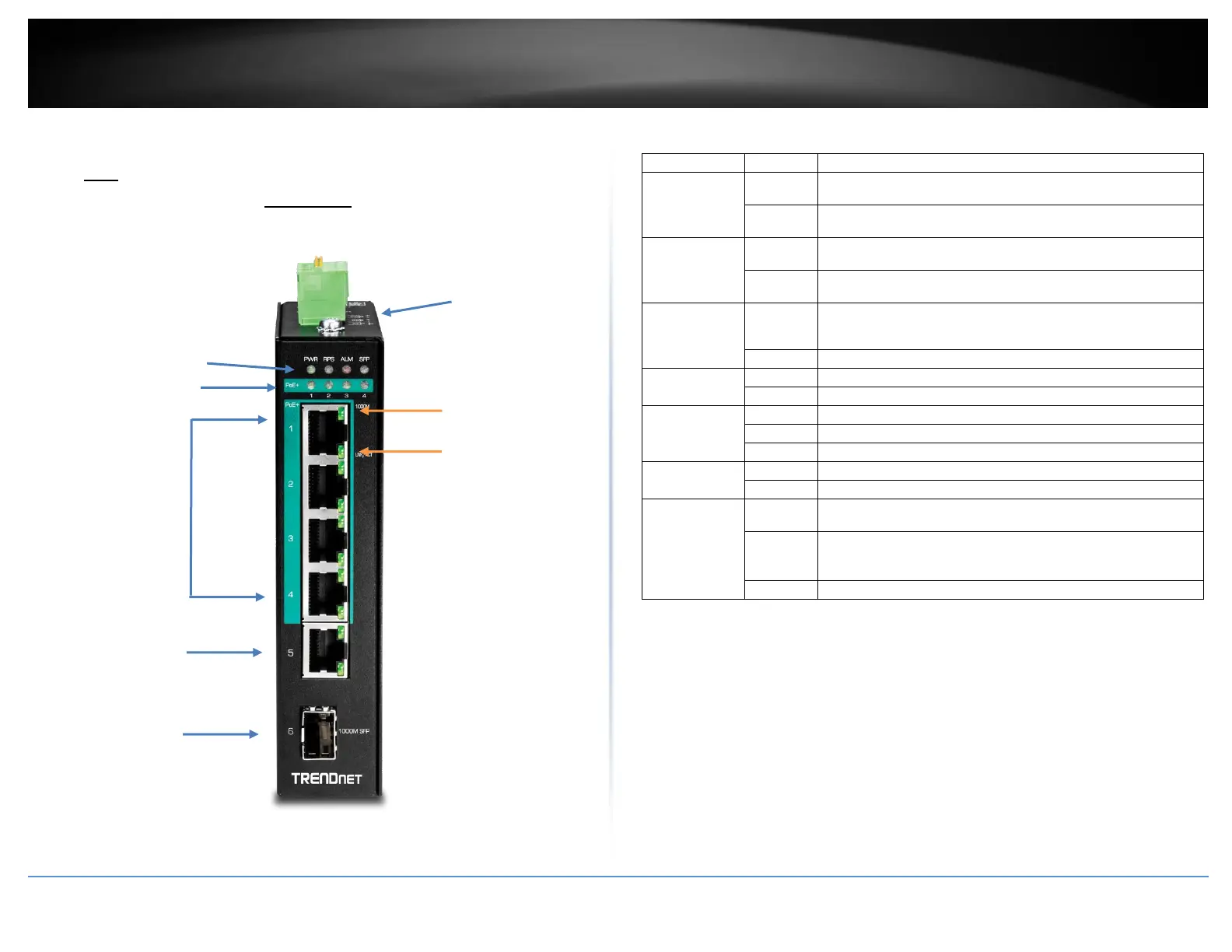
Products Hardwares and Features
PoE
TI-PG541i
Front View
LED Indicators
Ports 1-4 – Designed to operate at 10Mbps, 100Mbps, or Gigabit speed in both
half-duplex and full-duplex transfer modes. Supports Auto MDI-X and capable
of delivering up to 30W (802.3at PoE+) per port.
Port 5 - Designed to operate at 10Mbps, 100Mbps, or Gigabit speed in both
half-duplex and full-duplex transfer modes. Supports Auto MDI-X
SFP Slot 6 – Designed to operate at Gigabit speeds.
Reset/Reboot Button – Push the button for 10 seconds and release to reset the
switch to factory defaults. Push the button for 3 seconds and release to reboot.
Grounding point/screw – The switch chassis can also be connected to a known
ground point for additional safety and protection. (grounding wire not
included)
Note: For any unused ports or SFP slots, it is recommended to leave the rubber plugs
installed during operation.
When the PWR LED is on, the device is using the primary
power input source.
Primary power input source is off, disconnected, or has
failed.
When the RPS LED lights on, the device is using the
redundant power input source.
Redundant power input source is off, disconnected or has
failed.
Indicates alarm has been triggered on DIP switch settings and
signal sent out through ALM terminals on terminal block to
third party alarm device.
Device is ready and completed boot process.
Data is transmitting/receiving.
SFP link is disconnected.
PoE supplied to Ethernet port.
No PoE supplied to Ethernet port.
Ports 1-5
1000M
(Green)
10/100M
(Off)
Ethernet port is connected.
Data is transmitting/receiving.
Ethernet port is not connected.
10/100/1000
Mbps per port
LED indicator
LINK/ACT per
port LED
indicator














 To Next Page