© Copyright 2019 TRENDnet. All Rights Reserved.
Industrial Managed Switch Series
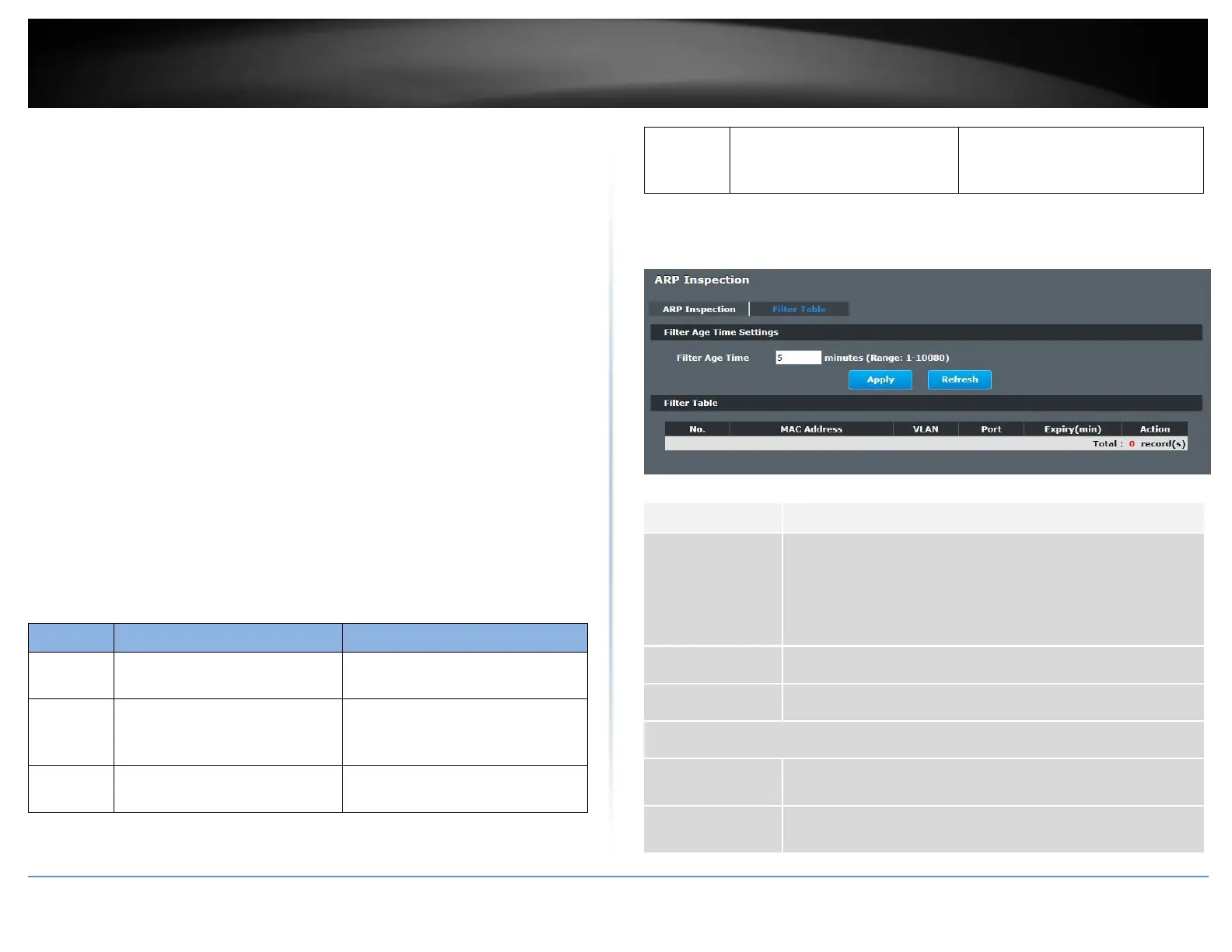
Filter Table
Dynamic ARP inspections validates the packet by performing IP to MAC address binding
inspection stored in a trusted database (the DHCP snooping database) before
forwarding the packet. When the Switch identifies an unauthorized ARP packet, it
automatically creates a MAC address filter to block traffic from the source MAC address
and source VLAN ID of the unauthorized ARP packet. The switch also periodically
deletes entries if the age-time for the entry is expired.
If the ARP Inspection is enabled and the system detects invalid hosts, the system
will create a filtered entry in the MAC address table.
When Port link down and ARP Inspection was disabled, Switch will remove the
MAC-filter entries learned by this port.
When Port link down and ARP Inspection was enabled, Switch will remove the
MAC-filter entries learned by this port.
The maximum entry of the MAC address filter table is 256.
When MAC address filter table of ARP Inspection is full, the Switch receives
unauthorized ARP packet, and it automatically creates a SYSLOG and drop this ARP
packet. The SYSLOG event happens on the first time.
Default Settings:
The mac-filter age time: 5 minutes. (0 – No age)
The maximum mac-filter entries: 256.
CLI Configuration
show arp-inspection mac-filter
This command displays the current
ARP Inspection filtered MAC.
arp-inspection macfilter age
VALUE
This command configures the age
time for the ARP inspection MAC
filter entry.
clear arp-inspection mac-filter
This command clears all of entries
in the filter table.
no arp-inspection mac-filter mac
MACADDR vlan VLANID
This command removes an entry
from the ARP inspection MAC filter
table.
Web Configuration
Security > IP Source Guard > ARP Inspection > Filter Table
This setting has no effect on existing MAC address filters.
Enter how long (1-10080 minutes) the MAC address filter
remains in the Switch after the Switch identifies an
unauthorized ARP packet. The Switch automatically deletes the
MAC address filter afterwards.
Click Apply to add/modify the settings.
Click Refresh to begin configuring this screen afresh.
This field displays a sequential number for each MAC address
filter.
This field displays the source MAC address in the MAC address
filter.














 To Next Page