© Copyright 2019 TRENDnet. All Rights Reserved.
Industrial Managed Switch Series
no arp-inspection vlan VLANID
This command disables the ARP
Inspection function on a VLAN or
range of VLANs.
This command configures the trust
port for the specific port.
This command configures the un-
trust port for the specific port.
Example:
[DEVICE_NAME]#configure terminal
[DEVICE_NAME](config)#arp-inspection enable
[DEVICE_NAME](config)#arp-inspection vlan 1
[DEVICE_NAME](config)#interface 1/0/1
[DEVICE_NAME](config-if)#arp-inspection trust
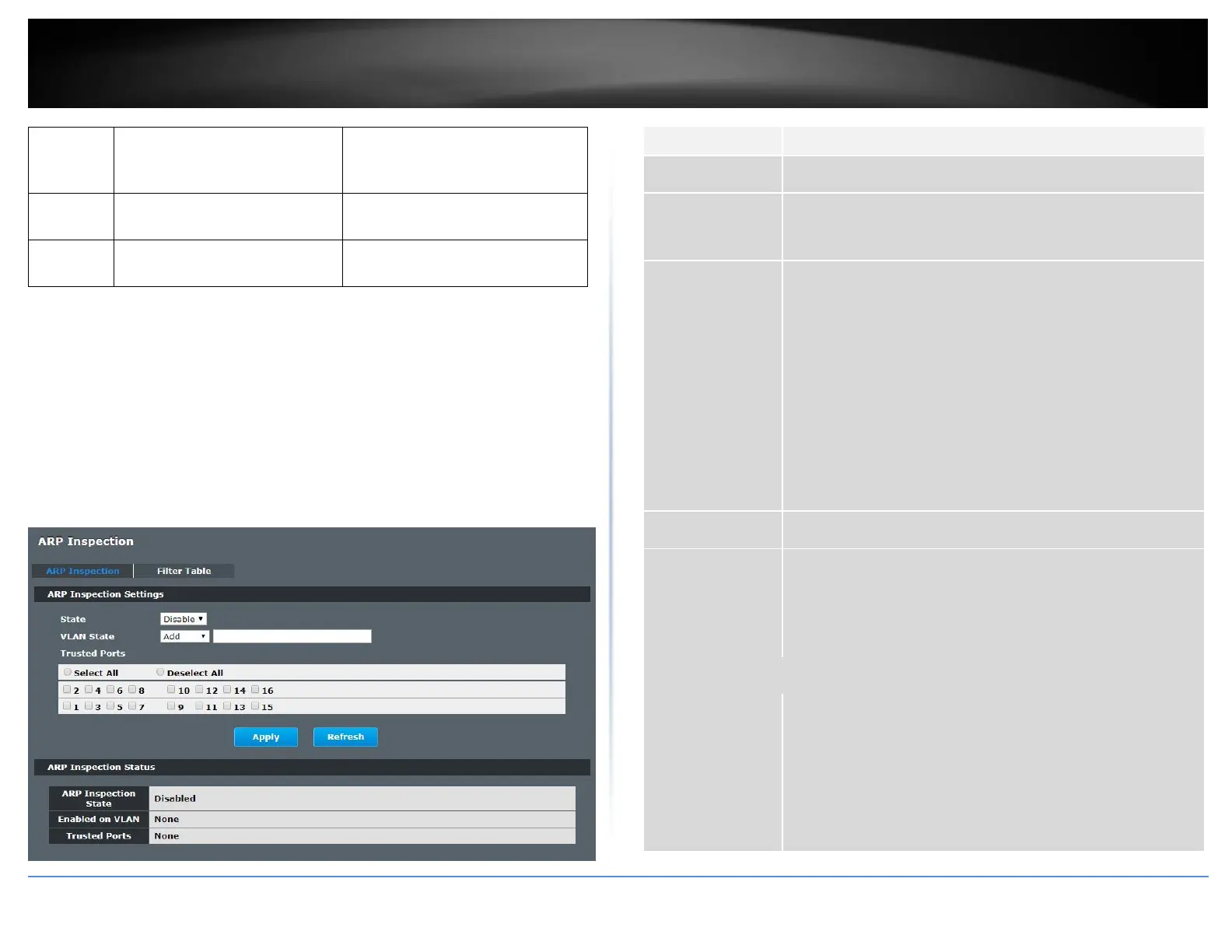
Web Configuration
Security > IP Source Guard > ARP Inspection > ARP Inspection
Use this to Enable or Disable ARP inspection on the Switch.
Enter the VLAN IDs you want the Switch to enable ARP
Inspection for. You can designate multiple VLANs individually by
using a comma (,) and by range with a hyphen (-).
Select the ports which are trusted and deselect the ports which
are untrusted.
The Switch does not discard ARP packets on trusted ports for
any reason.
The Switch discards ARP packets on untrusted ports in the
following situations:
• The sender’s information in the ARP packet does not match
any of the current bindings.
• The rate at which ARP packets arrive is too high. You can
specify the maximum rate at which ARP packets can arrive on
untrusted ports.
Click this to set all ports to trusted.
Click this to set all ports to untrusted.
Click Apply to add/modify the settings.
Click Refresh to begin configuring this screen afresh.
This field displays the current status of the ARP Inspection
feature, Enabled or Disabled.
This field displays the VLAN IDs that have ARP Inspection
enabled on them. This will display None if no VLANs have been
set.
This field displays the ports which are trusted. This will display
None if no ports are trusted.














 To Next Page