48
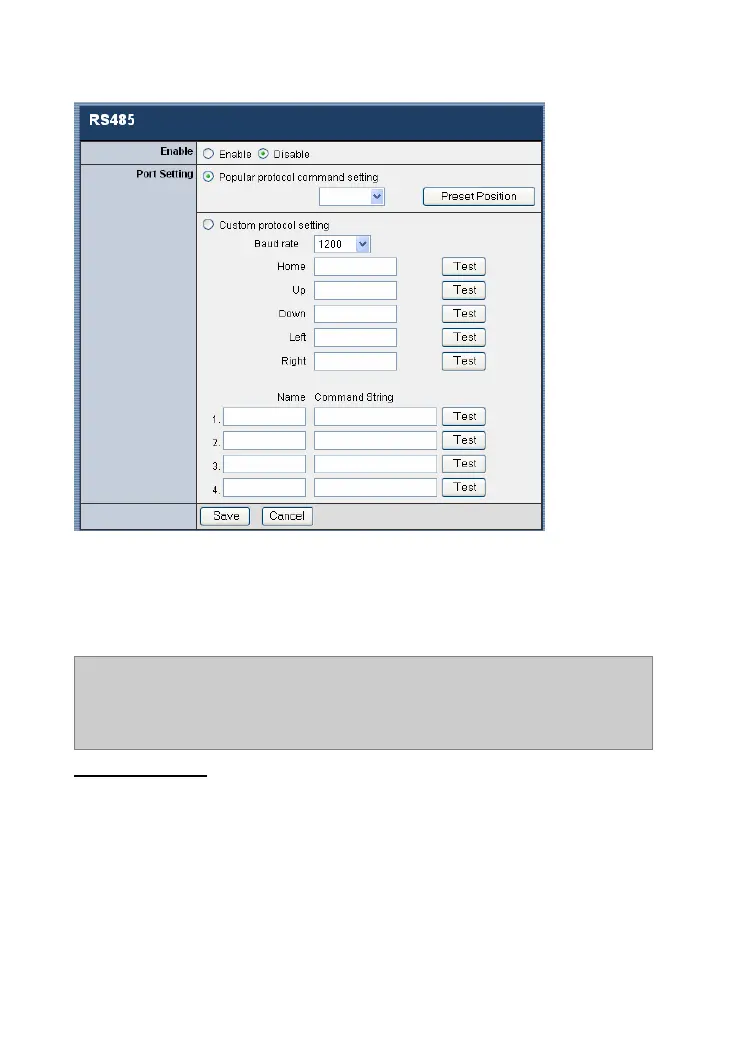
Check the Enable item to enable this function on your camera,
and configure the related settings in the following fields.
NOTE: When RS485 is enabled, the system will provide the additional
control buttons on the View Image screen (ActiveX mode and Java
mode). See the illustrations on page 56 and 58.
Port setting
Select the proper protocol setting from the two options:
Popular protocol command setting or Custom protocol
setting.
- Popular protocol command setting: Select the proper
protocol from the pull-down menu.







 To Next Page