75
-
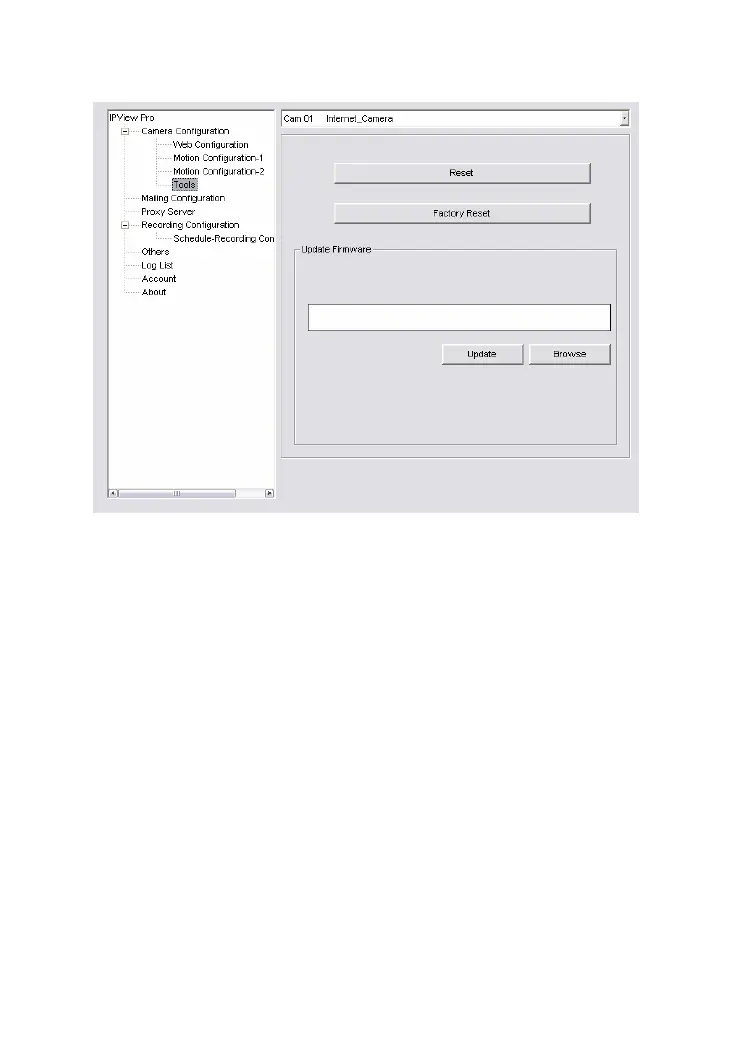
Reset: Restore the original setting of your camera. Do you
really want to reset this device? Click Yes in the pop-up
dialog box to confirm.
-
Factory Reset: Restore the factory default settings of the
camera. Do you really want to factory reset this device? Click
Yes in the pop-up dialog box to confirm.
-
Update Firmware: When new firmware is available, you
can upgrade it using this option. Click Browse to find the
firmware file, and then click Update.


 To Next Page
 Loading...