76
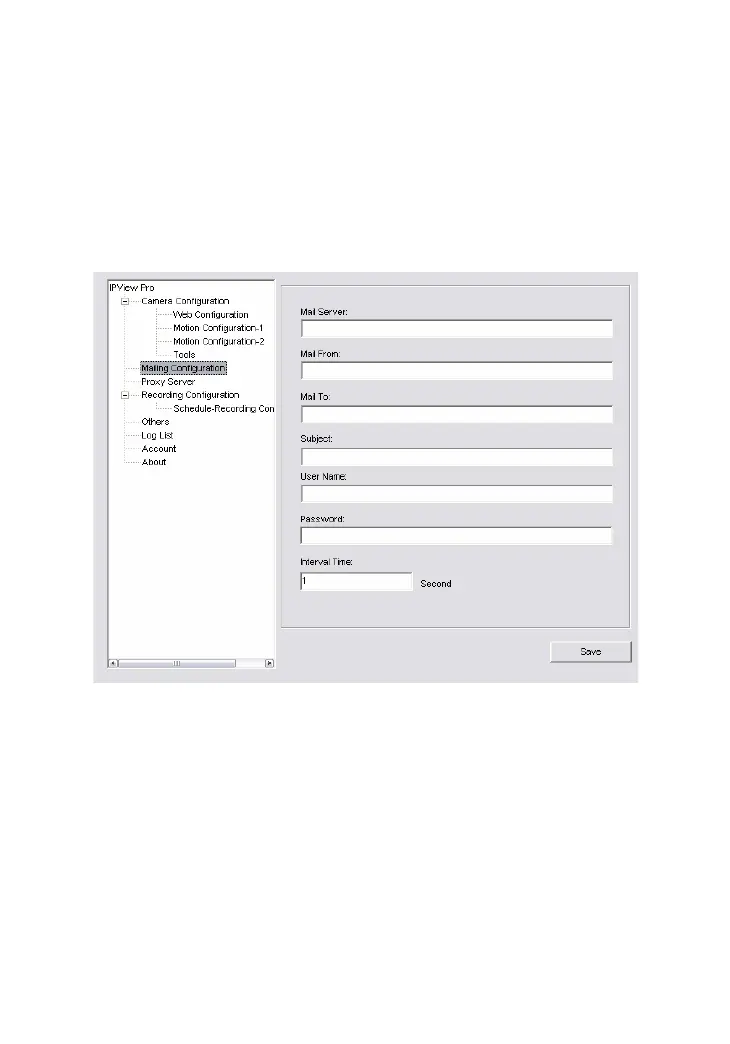
Mailing Configuration
When Motion Detection function is enabled and the Send e-mail
option is checked, you should enter the required information in
the respective fields.
-
Mail Server: Enter the mail server address that is used to
send your e-mail.
-
Mail From/To: Enter the sender’s/receiver’s e-mail address.
-
Subject: Enter the title of the e-mail.
-
User Name/Password: Enter the user name/password to
login the mail server.
-
Interval Time: Enter a number in this box to setup the time
(in second) to send e-mail regularly.


 To Next Page
 Loading...