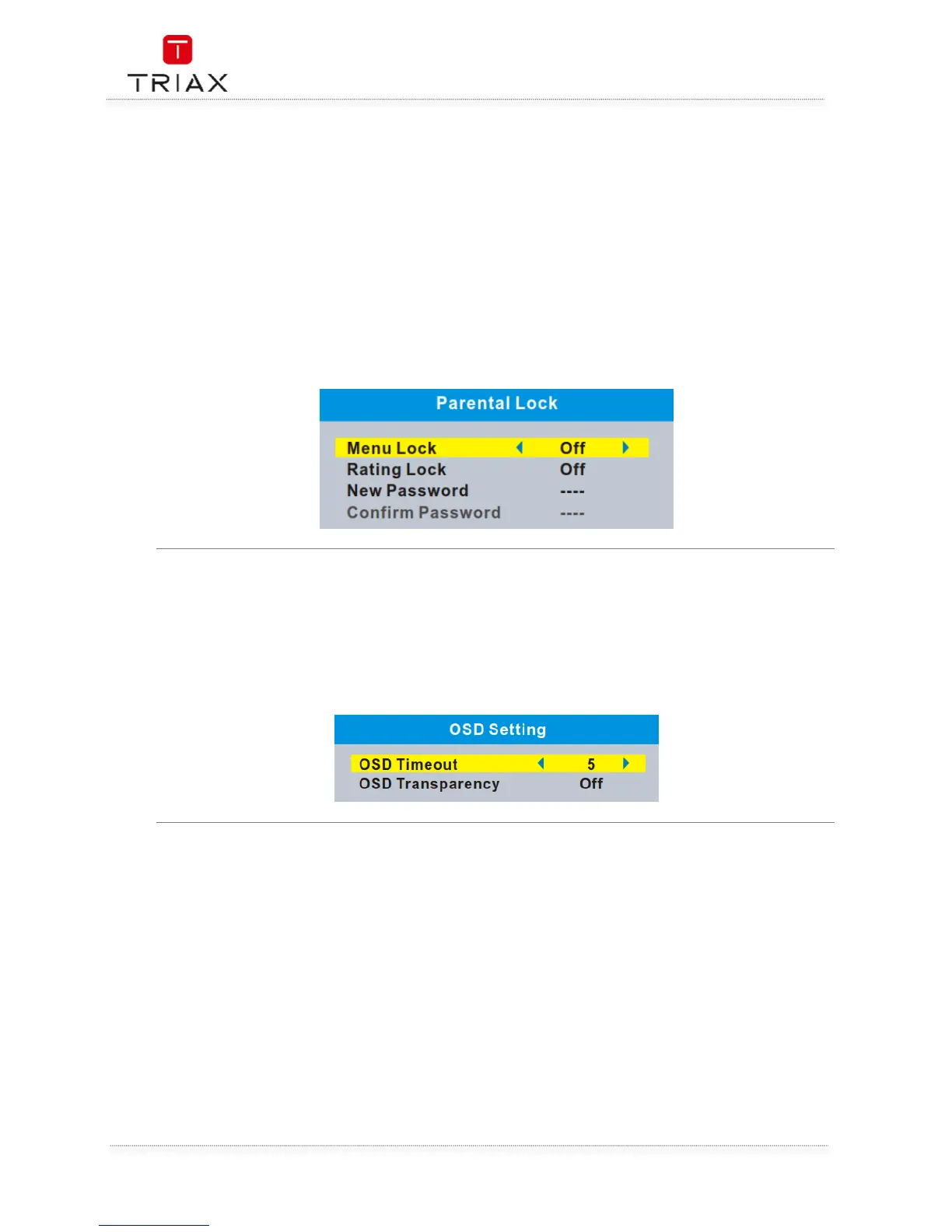
This menu allows you to lock the menu and the channels, set Rating Lock and change the Password.
• In "System Setup" menu, select "Parental Lock" and press "OK" button, you are asked to
input a password(the default password is"0000").
• After inputting the correct password by pressing numeric buttons, the parental lock menu
appears.
Menu Lock:
To lock the Edit channel/ Installation menu. You can set menu lock to
on/off.
Rating Lock: Off/ AGE 4~AGE18
New Password: To change the password.
Confirm Password: To confirm the new password.
This menu allows you to set the time of OSD Timeout and OSD Transparency
OSD Timeout: 1-10
OSD Transparency: Off/10%/20%/30%/40%.


 To Next Page