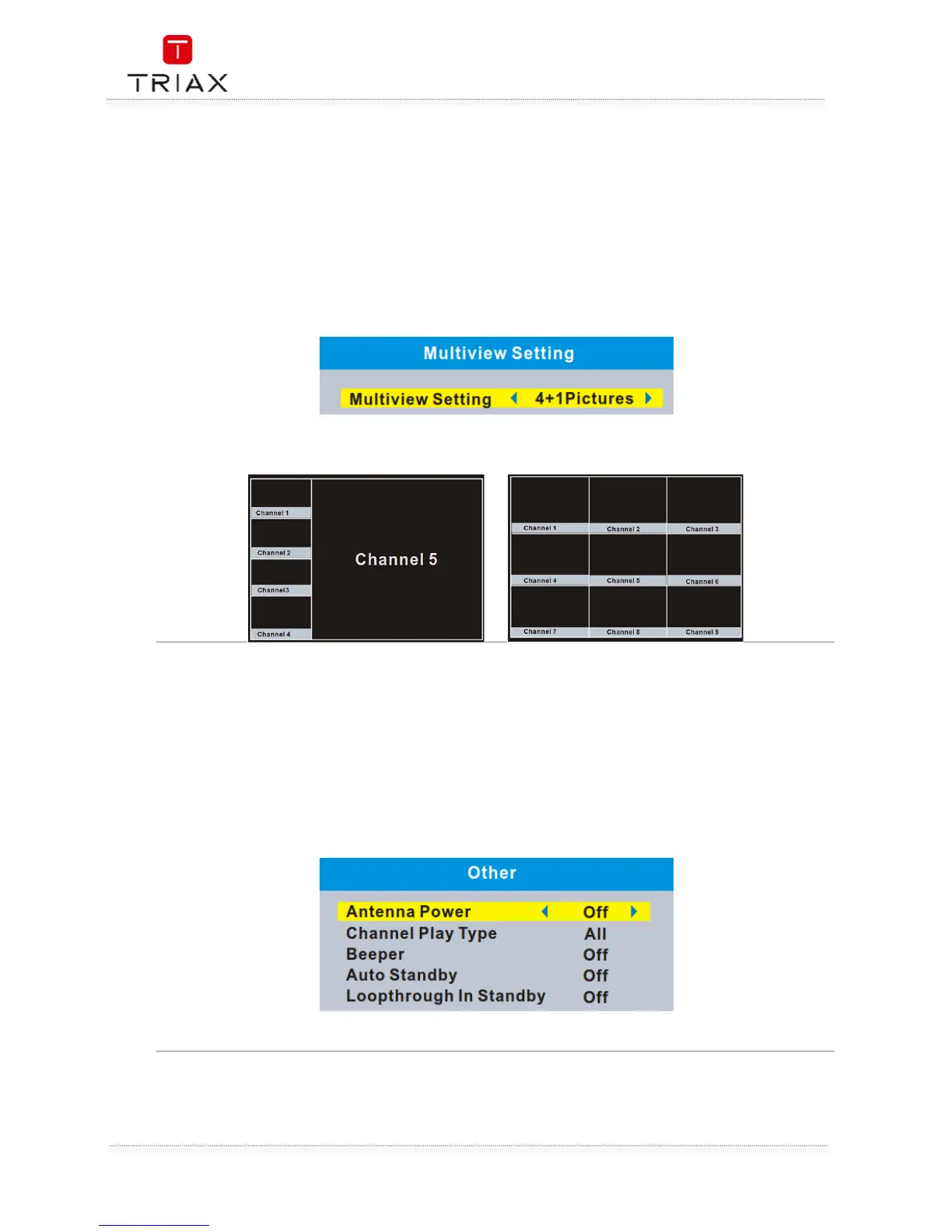
This menu allows you to set Multiview screen.
• In "System Setup" menu, select "Multiview Setting" and press "OK" button, you can select
the screen of 4+1Pictures or 3x3 Pictures .
• Press "EXIT" button to exit "Multiview Setting" menu.
In full screen mode,
Press "BLUE" button to enter multiview mode.
Press "BLUE" button again to exit multiview mode.
Multiview setting:
This menu allows you to set Antenna Power, Channel Play Type, Beeper, and Auto Standby.
Antenna Power:
On (STB will provide 5V power to antenna)
Off (STB will not provide 5V power to antenna).
Channel Play Type: All/Free/Scrambled
Beeper: On/Off
Auto Standby: 30Min/1 Hour/2 Hours/3 Hours/Off
Loopthrough In Standby: On/Off


 To Next Page