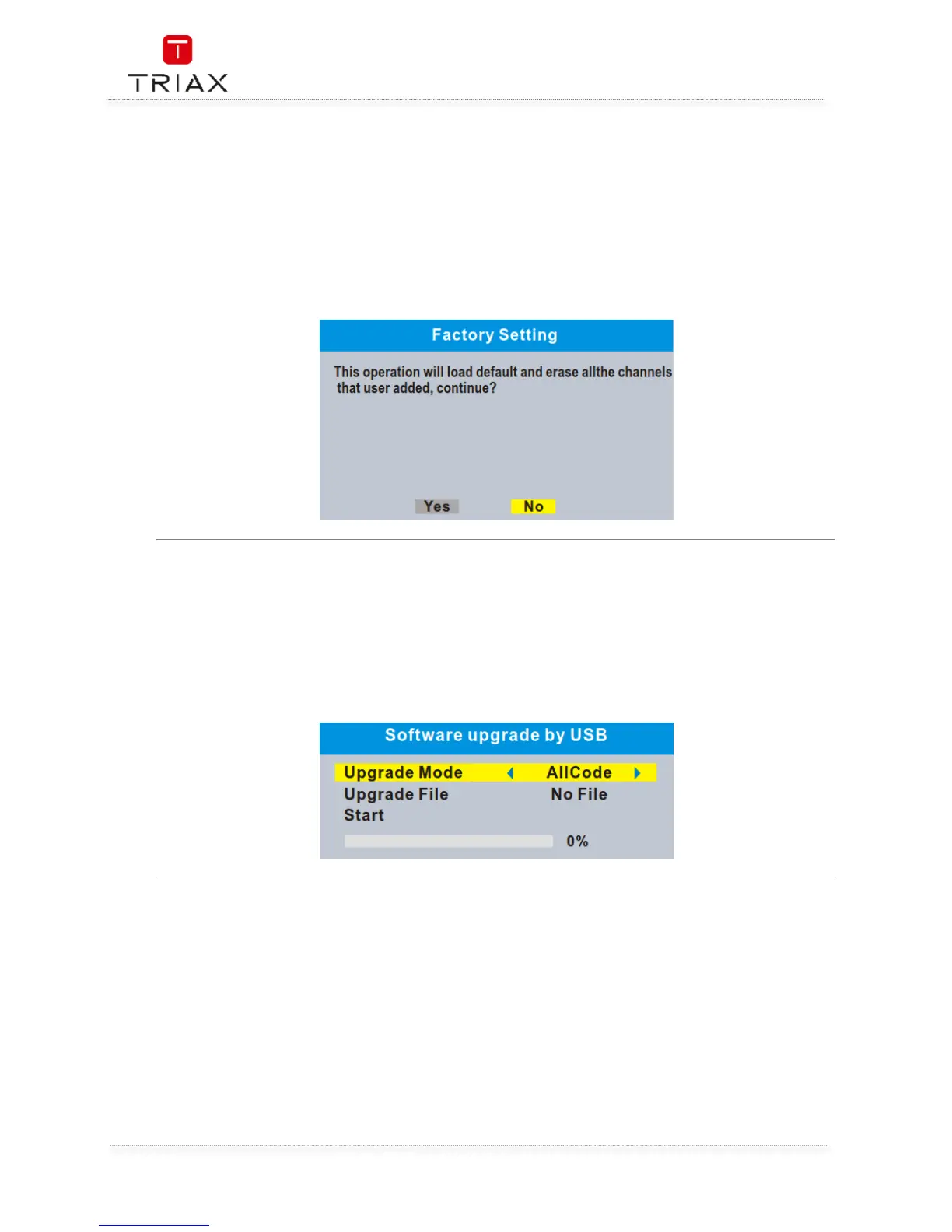
This menu allows you to re-set the STB back to the factory settings, clear all existed channels.
• In the "Tools" menu, select "Factory Setting", press "OK" button.
You are asked to input a password(the default password is"0000").
• A confirmation window is displayed.
Select "Yes" to return back to factory settings and clear all channels.
Select "No" to cancel back to factory settings.
• Press "EXIT" button to exit "Factory Setting" menu.
We offer two ways to upgrade software version, upgrade by OTA or upgrade by USB.
• In the "Tools" menu, select "Software upgrade by OTA" or "Software upgrade by USB", press
"OK" button, the upgrade menu is shown.
• Press cursor button to select the desired item, then highlight "Start" and press "OK" button
to start upgrade.
• Press "EXIT" button to exit "Software Upgrade by OTA" or "Software upgrade by USB" menu.


 To Next Page