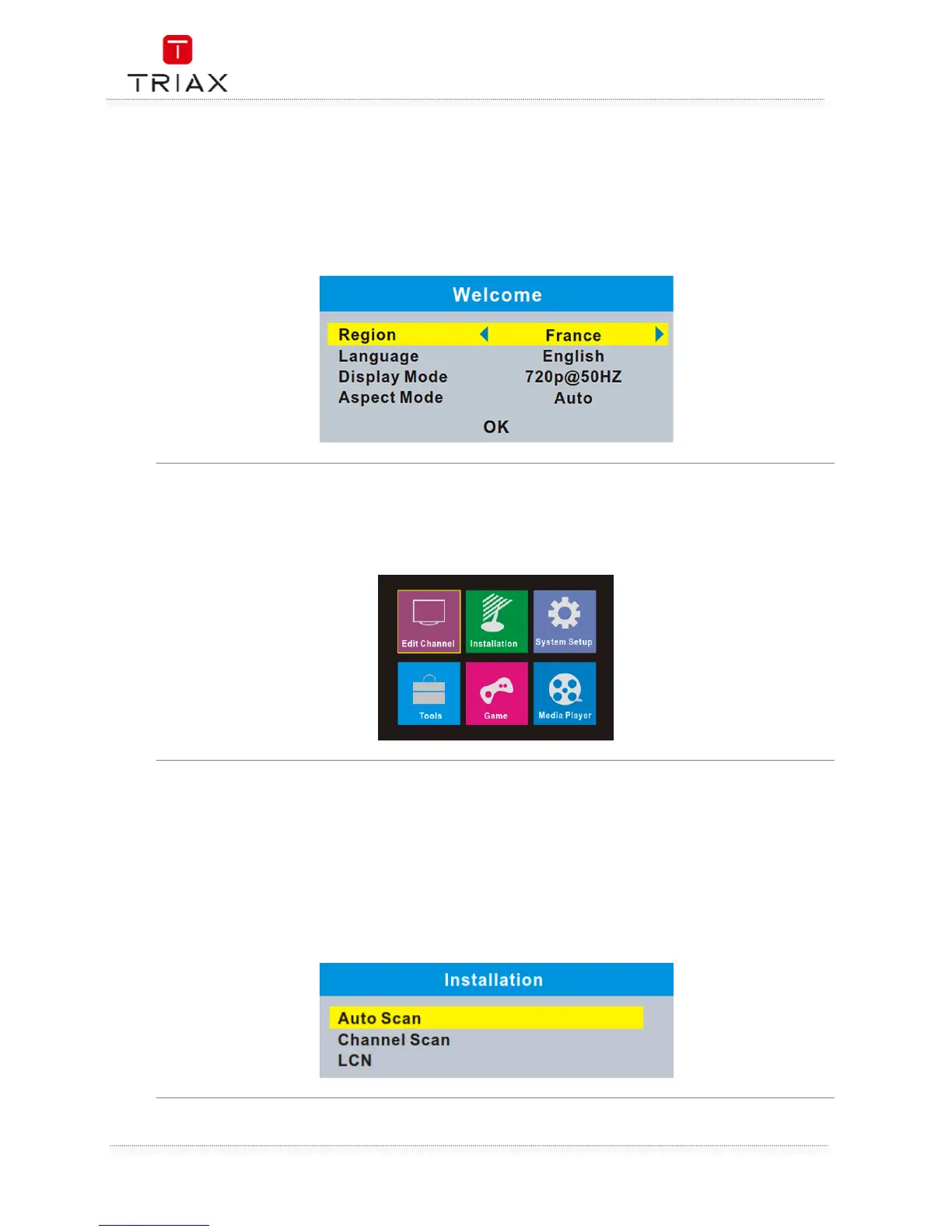
If you use the STB for the first time, the "Welcome" menu appears. Press cursor button to setup the
Region, Language, Display Mode and Aspect Mode. Highlight "OK" and press the "OK" button to start
channel search.
Press "MENU"button, the main menu appears. Press cursor button to select your desired item, then
pree "OK" button to enter the sub menu.
The "Installation" menu allows you to set up channel search and LCN option.
• Press the "MENU" button to enter main menu.
• Press "UP/DOWN " button to highlight "Installation", press
"RIGHT" button to enter the "Installation" menu.
• Press "UP" or "DOWN" button to select the desired item and
press "OK" button to enter the sub-menu .
• Press "EXIT" button to exit.
•


 To Next Page