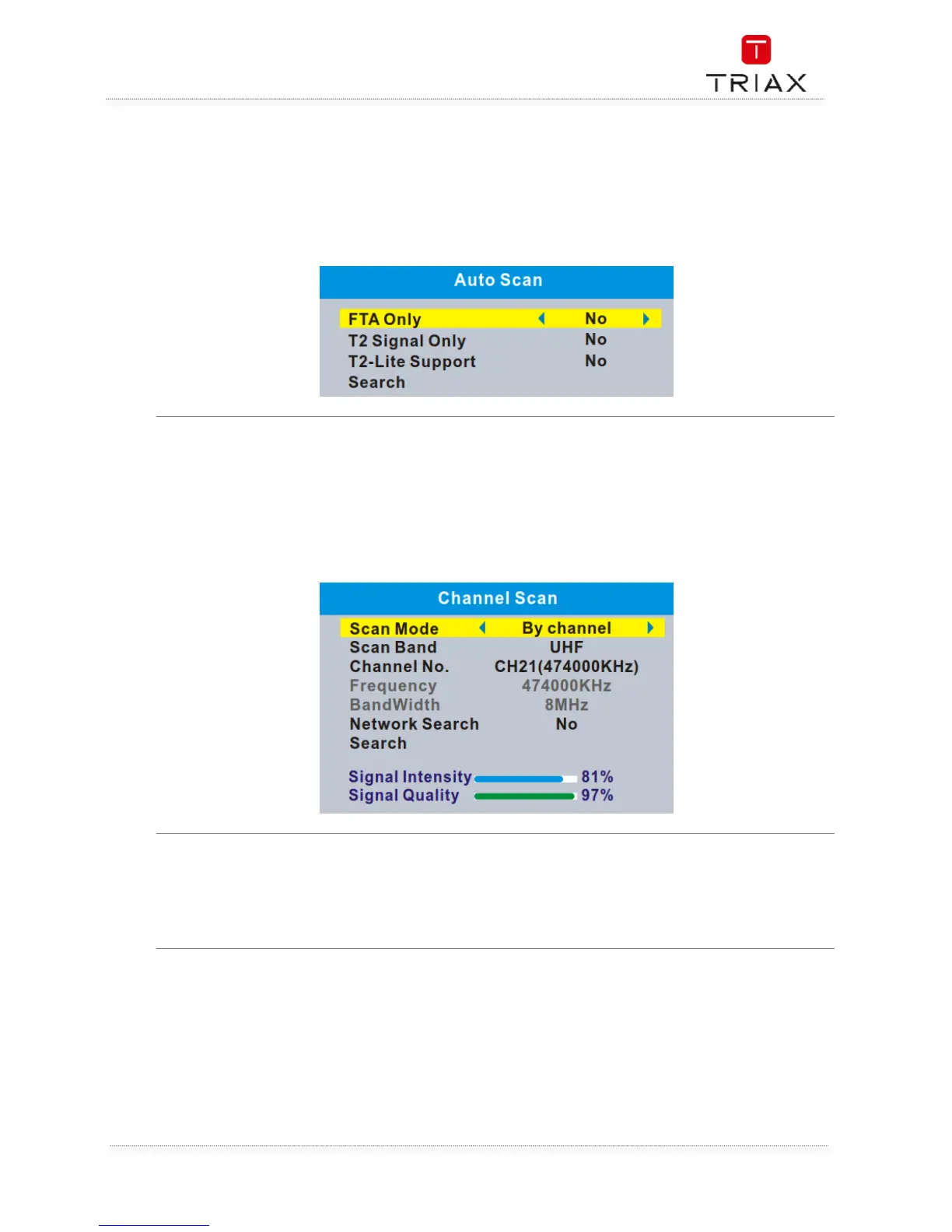
The "Auto Scan" menu allows you to set up automatically channel search.
• Select the "Auto Scan", press "OK" button to enter the Auto Scan menu.
• Press the cursor button to set "FTA Only" /" T2 Signal Only" / "T2-Lite Support" ,
• Highlight "Search", press the "OK" button to start automatically scan.
•
"Channel Scan" menu allows you to set up manually channel search.
• Select "Channel Scan", press the "OK" button to enter the Channel Scan menu.
• Press the cursor button to set Scan mode, Scan Band ,Channel No., Frequency, Bandwidth
and Network Search.
• Highlight "Search", press "OK" button to start channel scan manually.
If LCN (Logical Channel Number)Select function is activated,You can't change the original number of
TV channels by scanning . This menu allows you to activate/disactivate the LCN function.


 To Next Page