Triggertrap Mobile App Manual | Page 13
Star Trail
Star Trail mode is designed to automatically take a series of
very long exposures in sequence: perfect for capturing stars
moving across the sky at night!
REMEMBER
To use the long exposure modes, like the ones on this page, you
have to have a Triggertrap Mobile Dongle, and your camera needs
to be set to Bulb mode. Please see page 20 for more information
about setting your camera to Bulb.
The Star Trail mode is simple to use: Choose how many
photos you want to take, how long you want each exposure
to be, and how long you want the pause between each
photo to be.
The idea is that instead of using a single, hour-long
exposure to take photos of star trails, you can use many
shorter (10 minute) exposures instead. This causes less
digital noise in your images - and gives better results overall!
Bramping
A lot of people love doing timelapses - and we don’t
blame them, it’s a beautiful new frontier of photography.
Timelapses introduce a few new challenges. Since you
are taking photos over a long period of time, the lighting
situation is bound to change - but how do you deal with
this change? Bulb ramping aims to solve this problem: We
know for a fact what the lighting situation is now, and we
can make an educated guess about what it is going to be
two hours from now. So why don’t we just set a beginning
and an ending exposure, and gradually change the exposure
for each photo in the timelapse? That’s exactly what Bulb
ramping does.
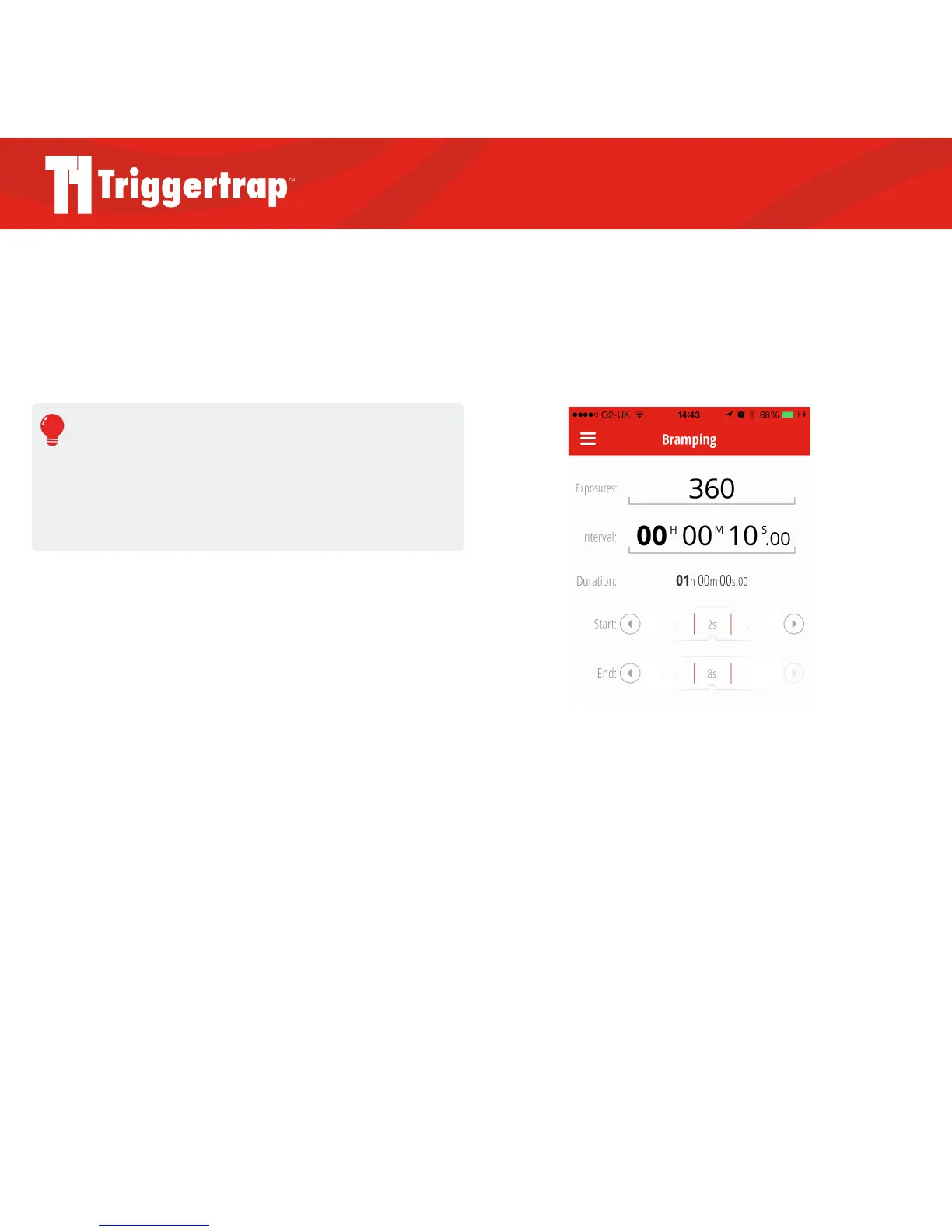
Settings for Bulb Ramping:
X Exposures = the number of exposures you would like
to take during the total duration.
X Interval = the amount of time you would like between
exposures.
X Duration = the calculated total amount of time the
timelapse will run for.
X Start = the exposure length you want to begin with.
X End = the exposure length you want to end with.



 To Next Page