Triggertrap Mobile App Manual | Page 14
Sensor Modes
These modes use the sensors built into your iOS device
to trigger your camera based on sound, vibration, or facial
recognition.
Sound Sensor
The Sound Sensor mode can be used to trigger your
camera based on sounds. This mode is compatible with all
iOS devices that have a built-in microphone.
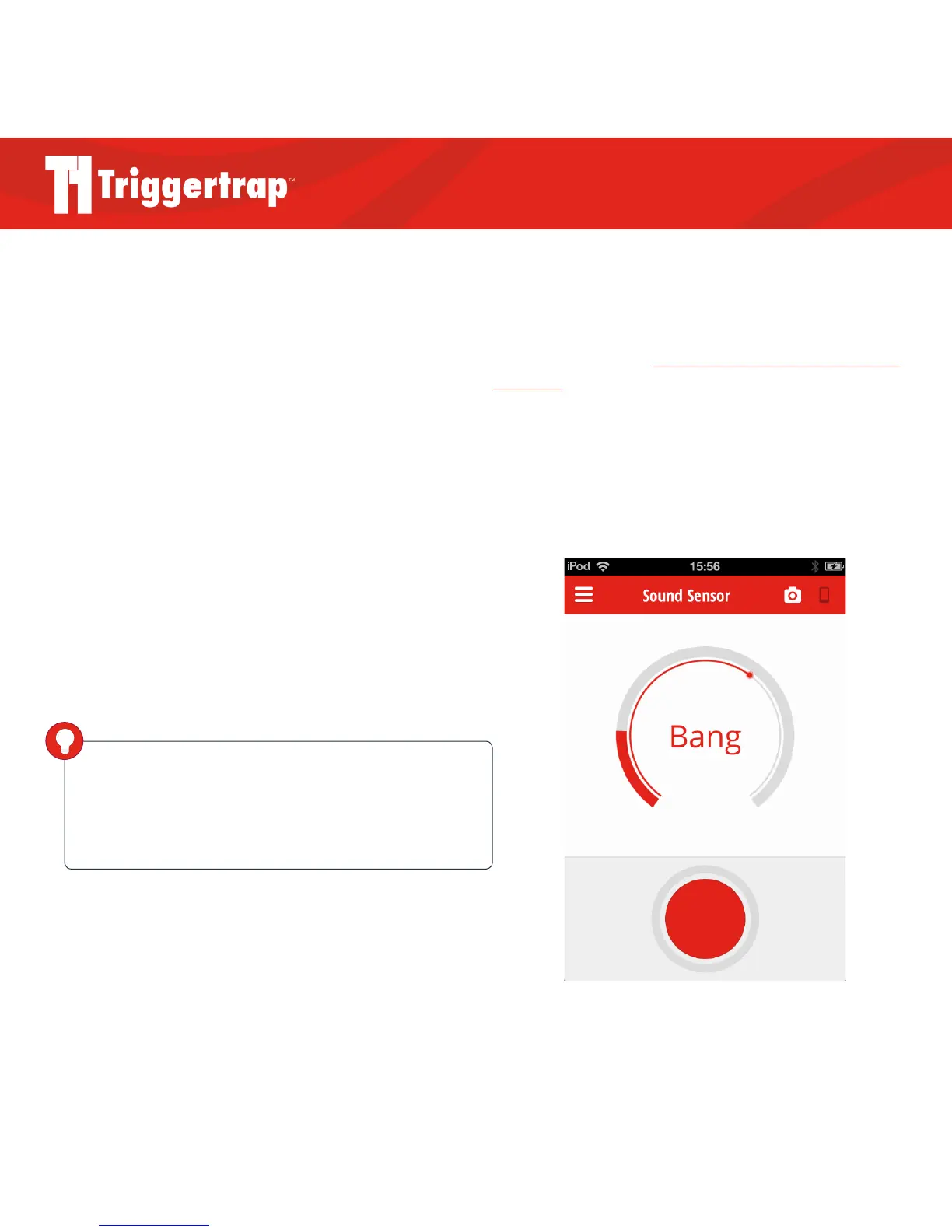
Press the button to start listening for sounds. The in-
ner ring controls the threshold and the outer ring shows
the volume level. You can slide the inner ring to change
the threshold level. When the volume level passes the
threshold position your camera will take a photo.
What about ambient sound?
Obviously, if you are in a loud environment, you might
find that the camera triggers when you don’t want it to.
The way to deal with that is to ensure that your trigger
threshold is set to a high enough level that any ambient
sounds are ignored.
It is also possible to solve the problem creatively:
Physics to the rescue! Look up the Inverse Square law on
Wikipedia for the theory, but in practice, keep in mind
that the closer your microphone is to the sound source,
the louder it appears. So, if you want to ensure that your
camera triggers at the right kind of events, ensure that the
iOS device’s microphone is as close to the sound source as
possible.
DID YOU KNOW?
If Triggertrap Mobile is taking too many photos too
quickly, you can increase the ‘delay after trigger’ in the Settings
screen. See page 10 for more information about Settings.



 To Next Page