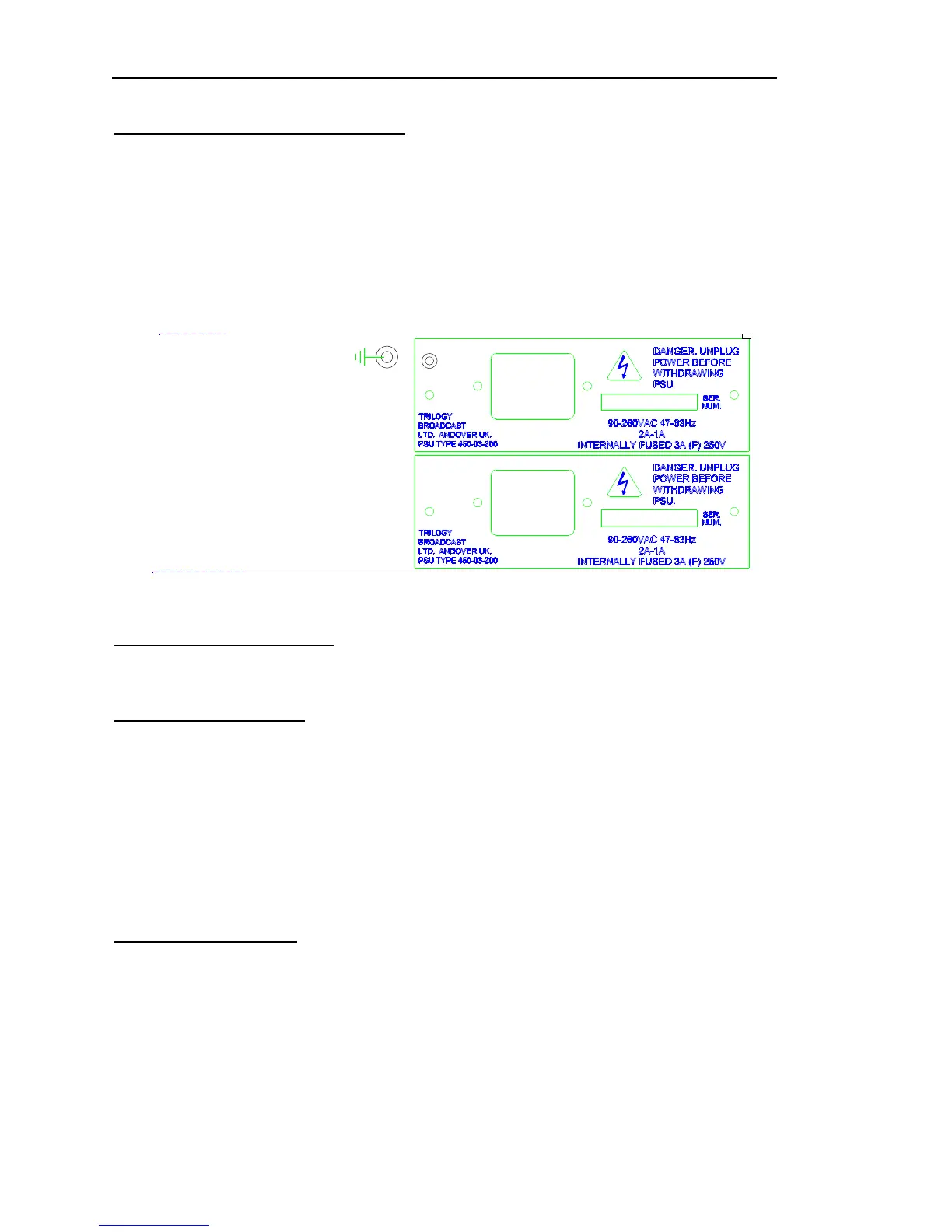
2.4 Mains Connection and Fusing
The Orator matrix operates from a single power supply, although an optional second power
supply may be fitted to provide full redundancy. This may be purchased and fitted later if
required.
The power supplies are fitted from the rear of the matrix and fixed with retaining screws.
If the second power supply is not fitted, a blanking plate covers the space at the back of the
matrix.
2.5 Earthing Requirements
A 4mm stud is provided on the rear panel of the matrix for connection to a local technical
earth. For safety reasons, the unit should be earthed at all times
2.6 Starting the system
The system may now be powered and will load a configuration from the Flash RAM. The
rotary switch selects the boot configuration bank. It is not necessary to have the computer
operating at this stage.
---------------------------------------------------------------------------------------------------------------------------
Tip: When the switch is set to position TEST, a default simple configuration is loaded from
flash RAM. See below.
---------------------------------------------------------------------------------------------------------------------------
2.7 Test Configuration
A simple test configuration is “hard-coded” into the system software and cannot be erased.
Connect control panels to Ports 1 and 2 using the supplied leads, as described in the Quick
Start Guide included with the system.
This configuration can be used to prove the basic system functionality.


 To Next Page