4
Programming Settings Options
The Settings tab allows for various adjustable ESC setting modification.
Programmable parameters include:
• Throttle
• Brake
• Boost
• Turbo
• General
The Trinity MX8 Pro Gen2 ESC has wireless connection capability built in. The
MX10 Pro Gen2 ESC requires connection to the MX10 Pro Gen2 Wireless module
(TEP0015), sold separately.
Through the Trinity
®
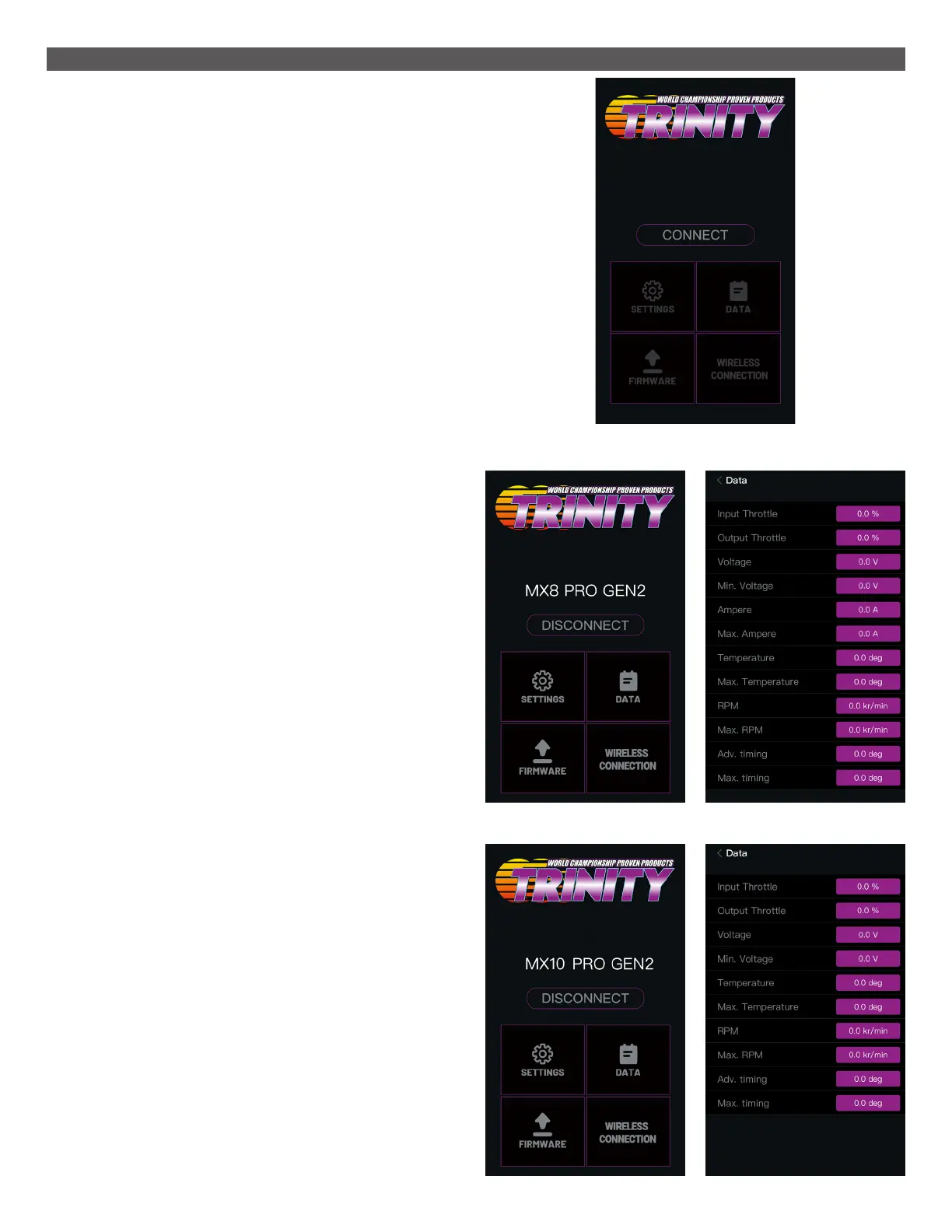
ESC Wireless app, users can check real-time data, program
operating parameters, and update the ESC firmware through their compatible
phone or tablet. The Trinity ESC app is available for the iOS
®
and Android
®
operating systems.
Search the App Store
®
or Play Store for “Trinity ESC” to download the application.
To connect to the ESC:
1. Open the application.
2. Power on the ESC.
3. In the app, select the ESC from the list of available wireless devices and
touch CONNECT.
For the app to successfully connect to the ESC:
• The ESC must be within wireless range of the handheld device, approximately
10 meters, without any metal objects or strong interference signals nearby.
• The ESC may not be in calibration mode.
Real-Time Operating Data Monitor
The Data screen displays real-time values for various operating parameters of
the ESC.
From the app home screen, touch the DATA tab. The Data screen appears.
The following parameters display:
• Input Throttle: Throttle input from the receiver to the ESC.
• Output Throttle: Throttle output from the ESC to the motor.
• Voltage: The current battery voltage to the ESC.
• Minimum Voltage: The minimum battery voltage to the ESC after power ON.
• Amps: The amp draw of the ESC.
• Maximum Amps: The maximum amps drawn by the ESC.
• Temperature: The current ESC temperature.
• Maximum Temperature: The maximum ESC temperature after power ON.
• RPM: Motor revolutions per minute.
• Maximum RPM: The maximum RPM read by the ESC after power ON.
• Advanced Timing: The ESC total timing value including Boost and Turbo
timing combined.
• Maximum Timing: The ESC maximum timing value reached since the last re-
set, including the Boost and Turbo timing combined (cannot exceed 60 degrees).
Wireless Application
MX8
MX10



 To Next Page