This document, including the information contained herein, is proprietary to Triotech Amusement Inc.
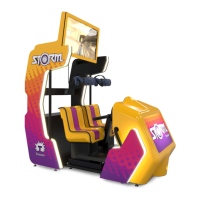
7 Storm operations
In case of an emergency;
• Push the E-STOP button.
• Call for help and assist the guest.
If evacuation is required;
• Calmly direct the guests to follow the Exit sign towards the closest emergency
exits.
During ride-wide E-stop:
• The motion will stop
7.1 System Start up
To start the system:
• Turn main power button on.
• The Storm should turn on automatically.
7.2 System Shut Down
At the end of the day, the Storm Unit can be turned Off.
To turn off the entire system, simply switch off the main power from the attraction. The
system is built to work this way; it will not compromise the computers and/or other
components.
7.3 Operating the Storm
The attendant(s) needs to make sure that every guest knows about and
understands the safety and ride rules.
To start a ride,
• Sit on the seat
• The guests should place their hands in front of themselves.
• Choose the
• There is a 10 seconds delay for the second guests to activate their player position.
• The movie will then start.


 To Next Page